FASHN Agent API: Getting Started with Claude Code
What the FASHN Agent API is, and how I made a whole lookbook with one line in Claude Code.
 Tony Assi4 min read
Hi, I'm Tony. I'm the Creative Engineer at FASHN. Before this I spent years in content and marketing for fashion brands. We shot up to 140 products a week, every week, and the next shoot was always coming.
Most AI photo work can't keep up with that. It happens one picture at a time. You type a message, wait, download and do it again. That's fine for ten photos. It doesn't work for a hundred products.
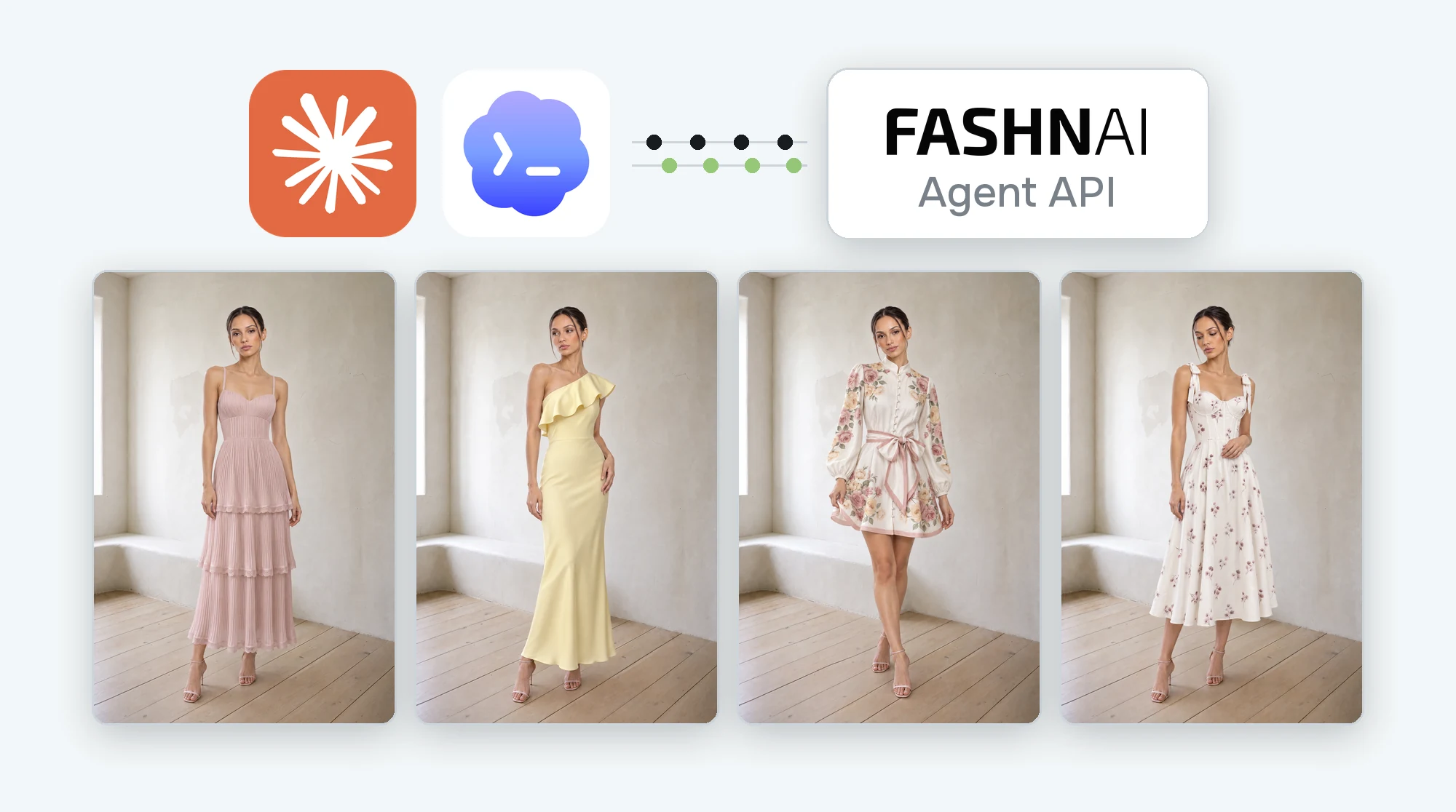
The FASHN Agent API changes that. It lets your own AI agent use FASHN for you. To show you how it works, I made a whole lookbook with one line in Claude Code.
What an API Is
Normally you go to fashn.ai and talk to the FASHN Agent yourself. An API is a way for software to do that talking instead. Your AI agent, like Claude Code or Codex, uses the FASHN engine directly. You never open the app.
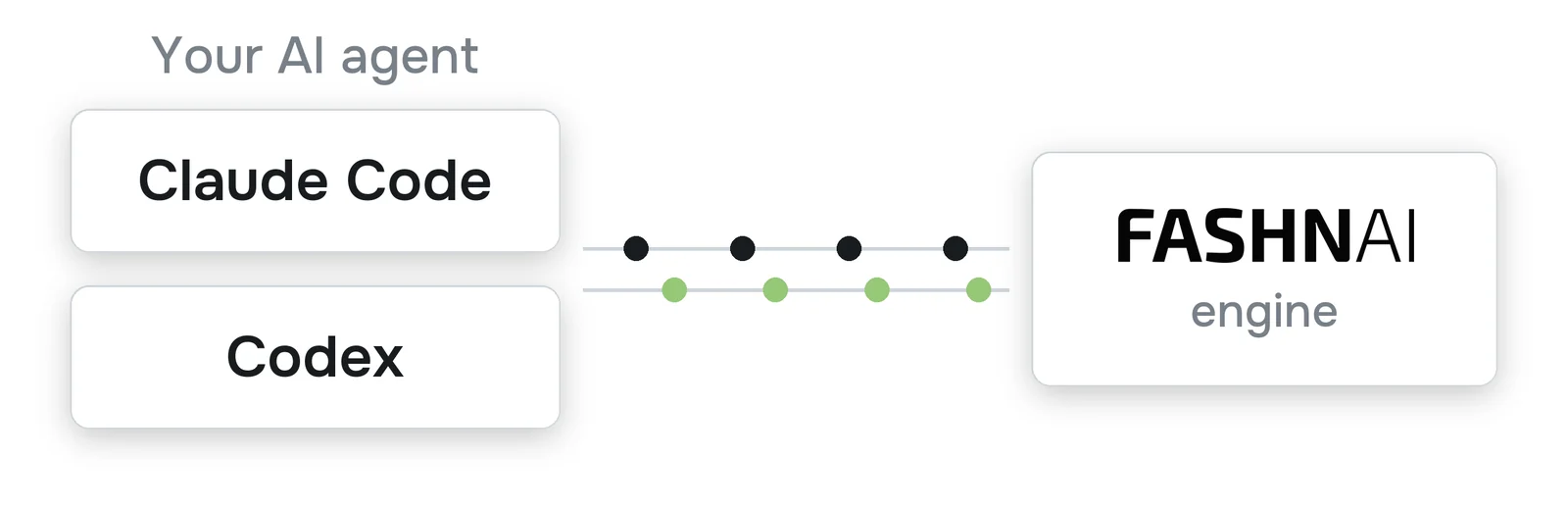
You send your images and a sentence. FASHN sends back the finished photos. You don't need to write any code. For those of us who aren't full time developers, that's the best part: an API gives you the power and hides the hard stuff.
From Brain in a Jar to Maker
When I started using Claude Code earlier this year, I expected a brain in a jar. That's what Claude or ChatGPT is in the browser. It has ideas, but it can't do anything.
What surprised me was how much Claude Code does on its own. It doesn't just pitch you a plan. It finds the files, runs the steps and comes back with the work done.
That's what makes the API useful. Your agent isn't only describing a shoot. It's running one.
Two Agents, One Shoot
The name gets confusing because there are two agents here. The easiest way to picture it is a photo shoot.
Claude Code is the producer. It finds your photos, sends them off and saves what comes back. It keeps the job moving, but it never touches the camera.
The FASHN Agent is the photographer. It makes the images and keeps your model, room and light consistent.
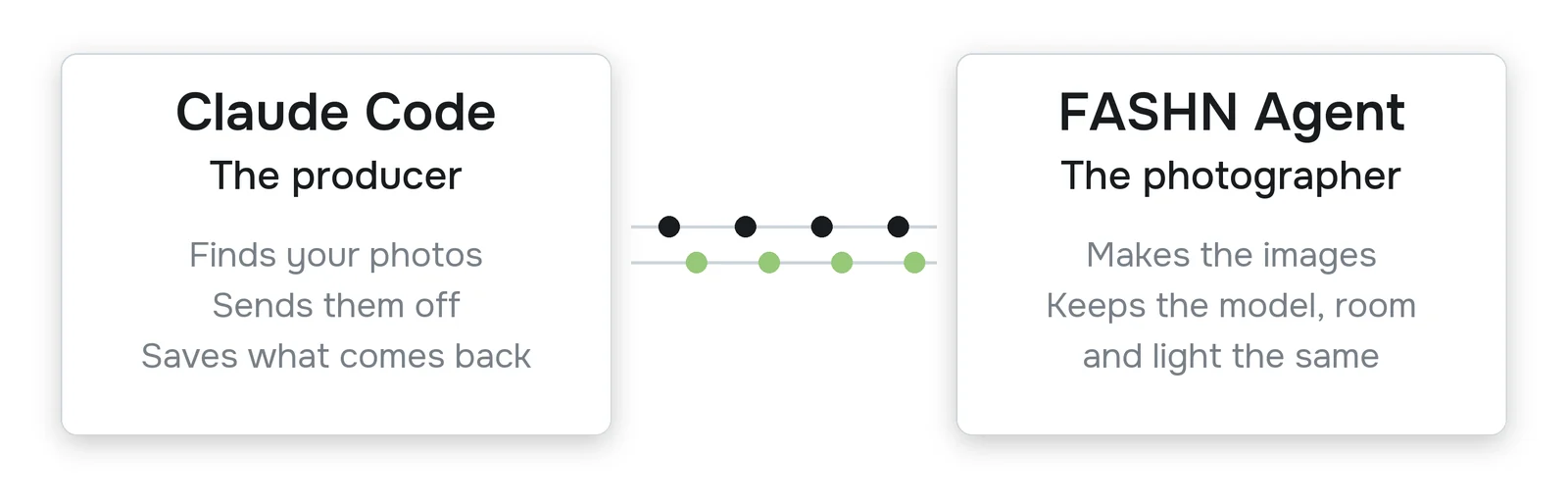
That split is why this works. Claude Code doesn't need to know how to prompt. It just passes along the brief, the way a good producer leaves the lighting to the photographer. You're the director. You say what you want and the crew makes it happen.
What You Need
- A face, a background and four product photos in one folder
- Claude Code
- A FASHN API key
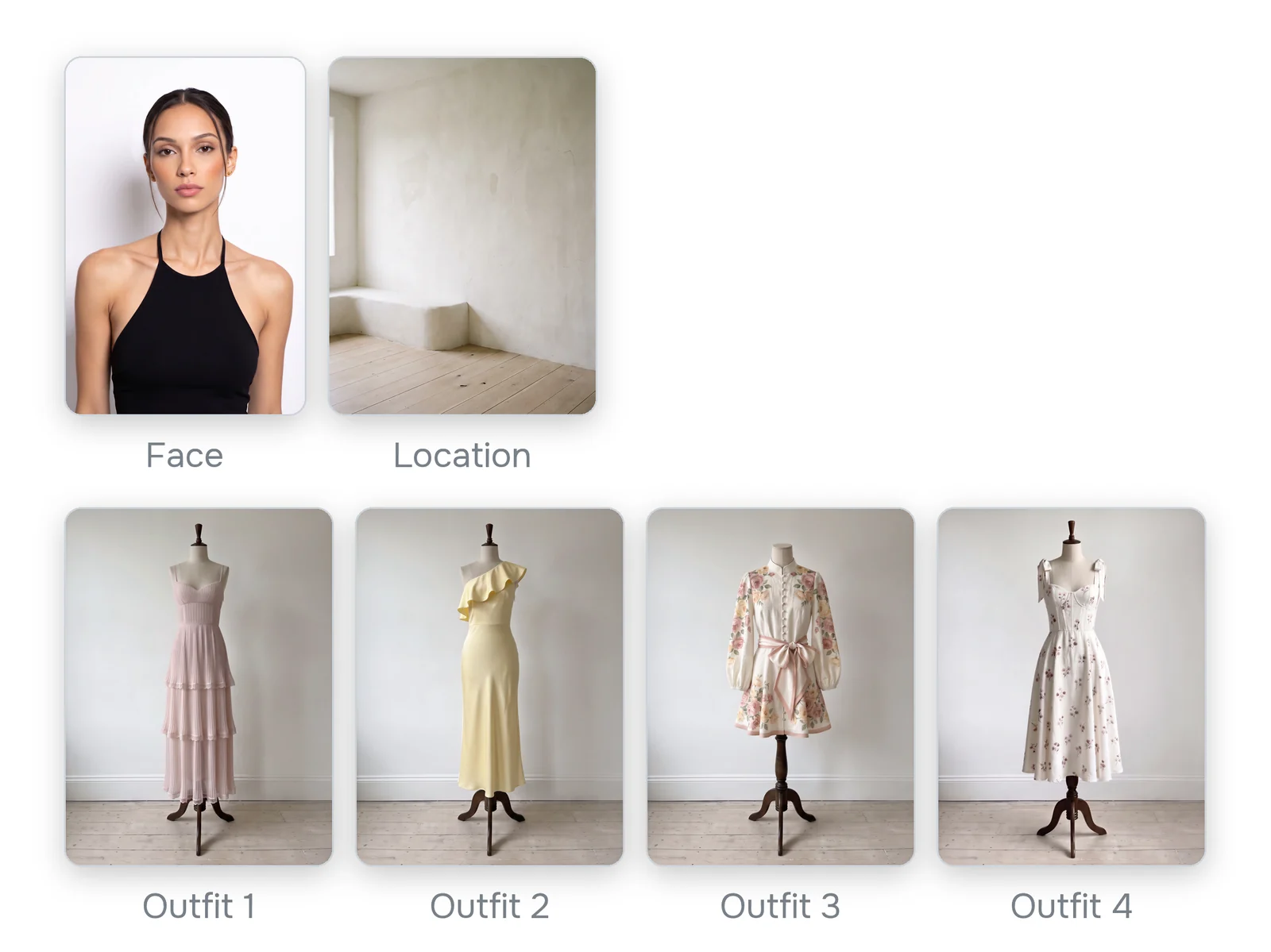
The One Line
I opened Claude Code in that folder and pasted this:
Download https://docs.fashn.ai/recipes/lookbook.md with curl and follow it exactly to make my lookbook from the photos in this folder.
That link is a recipe: a short text file of instructions written for Claude Code. It says what to ask you, how to send your photos and where to save the looks. You don't have to read it.
The first time you run it, Claude Code asks for your FASHN API key and opens a file called .env. Paste your key there and save. That file stays on your computer. Never paste your key into the chat.
Next it shows you which photo it thinks is the face, which is the location and what order the outfits go in. I replied yes. It started the job and said it would take about five minutes. When it finished, my four looks were in a new folder.
Want a change? Just tell Claude Code. "Make it 4K" is enough.
Why Everything Stays the Same
As a photographer, this is the part I like most.
Color matching was a huge part of my job. Product photos were the easier part, because the set, the lights and the camera never changed. Editorial was harder. We moved between locations, the light changed and so did the camera settings. Matching all of that by hand took a long time.
On a real shoot you don't relight the set for every outfit. You get the first shot right, and then you match everything to it. That first frame decides the room, the light and the mood for the whole day.
The recipe works the same way. The FASHN Agent makes look 1 from your photos. Then it makes looks 2, 3 and 4 directly from look 1. Each pose is a little different, so it still feels like a real shoot.
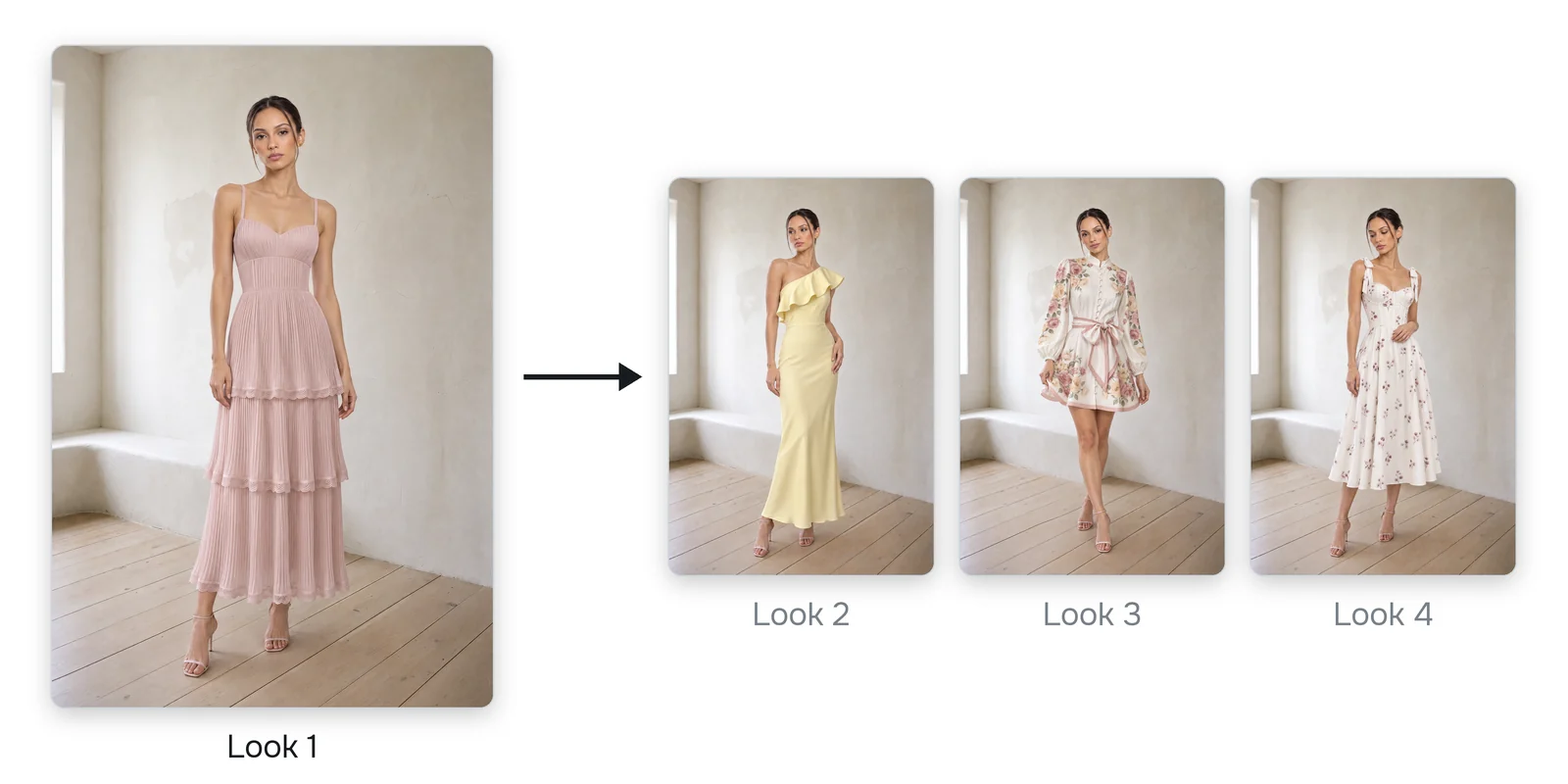
The word "directly" matters. If each look came from the one before it, small changes would add up, like a photocopy of a photocopy. Going back to look 1 every time stops that.
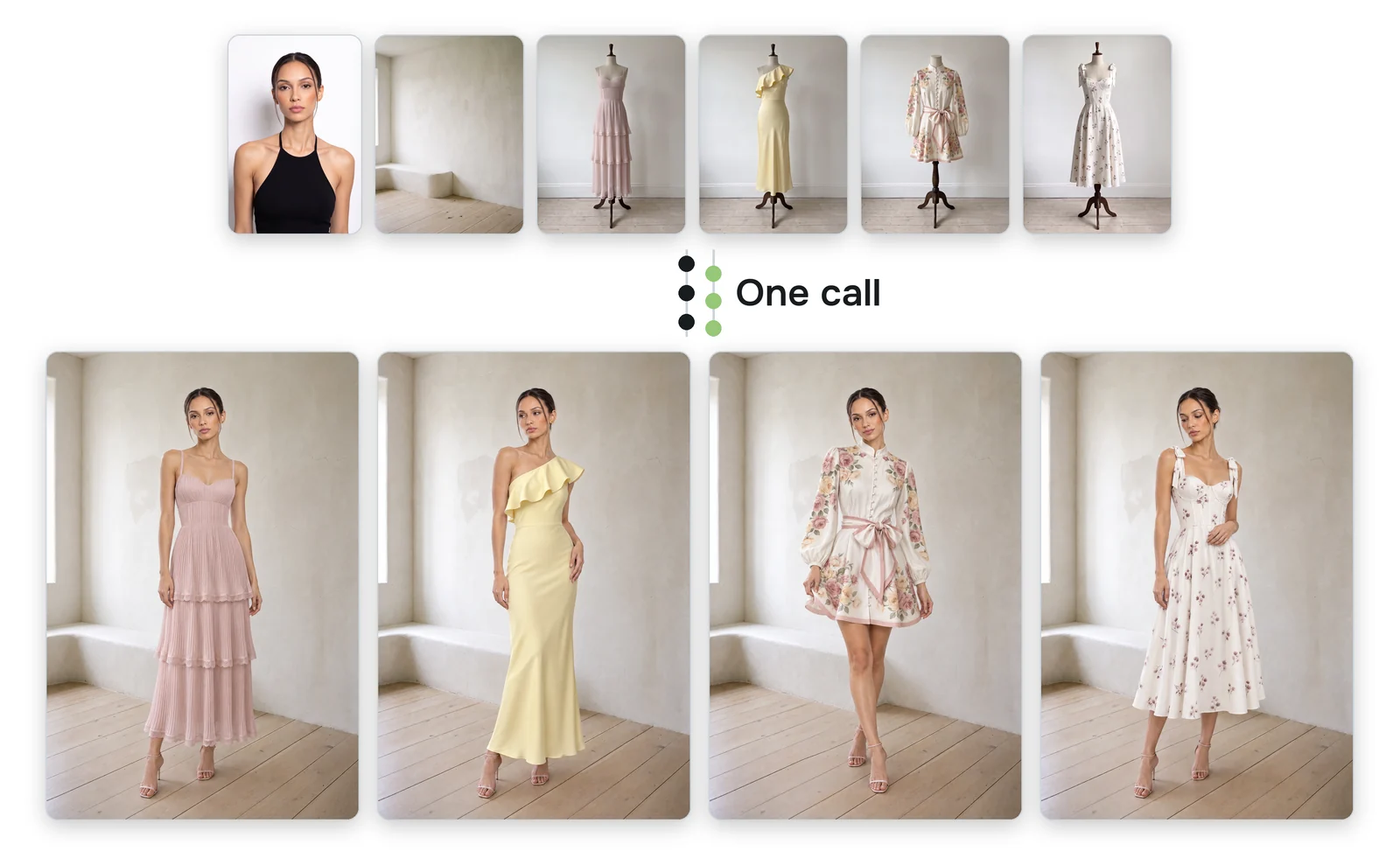
Claude Code could have split this into four API calls, one per look. Instead it sends one call and lets the FASHN Agent handle the rest. Six photos go in and four looks come out.
Beyond the Lookbook
A lookbook is just one example. A recipe is only a text file, so you can build your own workflows right on your computer. Your whole ecommerce catalog could work this way: your products go in and your finished photos come out. The same idea works for new colorways, product pages or a month of social posts.
Where to Start
Start with the lookbook, then try your own ideas. The docs have every setting. If you'd rather stay in the app, here's the lookbook guide.
Try FASHN free. If you have questions, leave a comment on the video. I read every one.
About the Author
Tony Assi is the Creative Engineer at FASHN. Before FASHN he spent years in content and marketing for fashion brands. He holds an MFA in Digital Art and New Media, where his thesis was on fashion and AI.

Written by
Tony Assi