3 Types of Content Every Clothing Brand Needs
Product, UGC and editorial: what each one does for your brand, and how I made all three from one photo.
 Tony Assi5 min read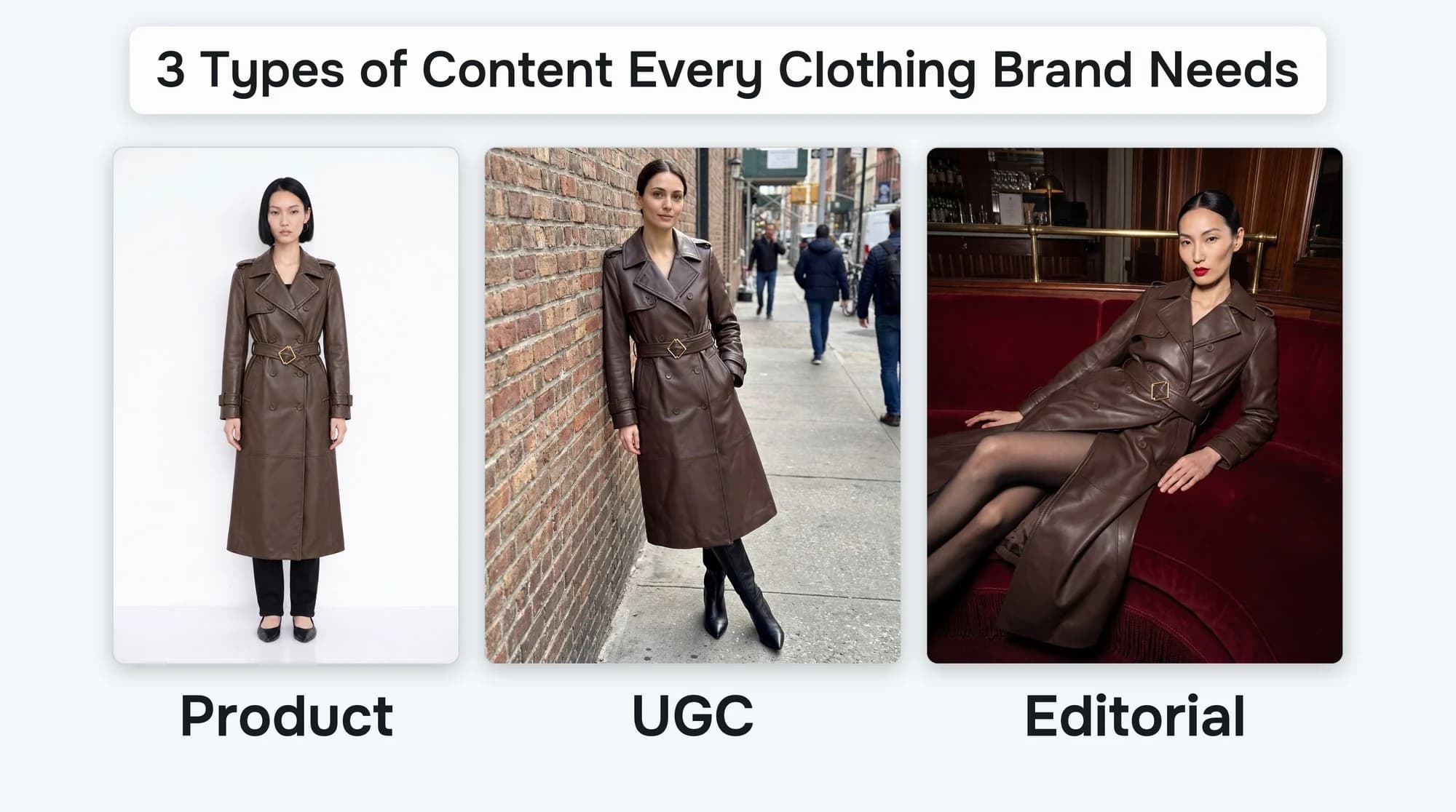
Hi, I'm Tony. I'm the Creative Engineer at FASHN. Before this I spent years working in content and marketing for fashion brands: an LA dress brand, a pajama brand, a resort dress brand and a couture designer.
The biggest thing I learned is that every clothing brand needs three types of content: product photos, UGC and editorial. Each one has a job. And each one only works in its own place.
So I made all three from one photo of a coat.
What Each One Does
Product photos sell, so they go on your product pages. UGC earns trust, so it goes on your social media. Editorial builds your brand, so it goes in your campaigns.
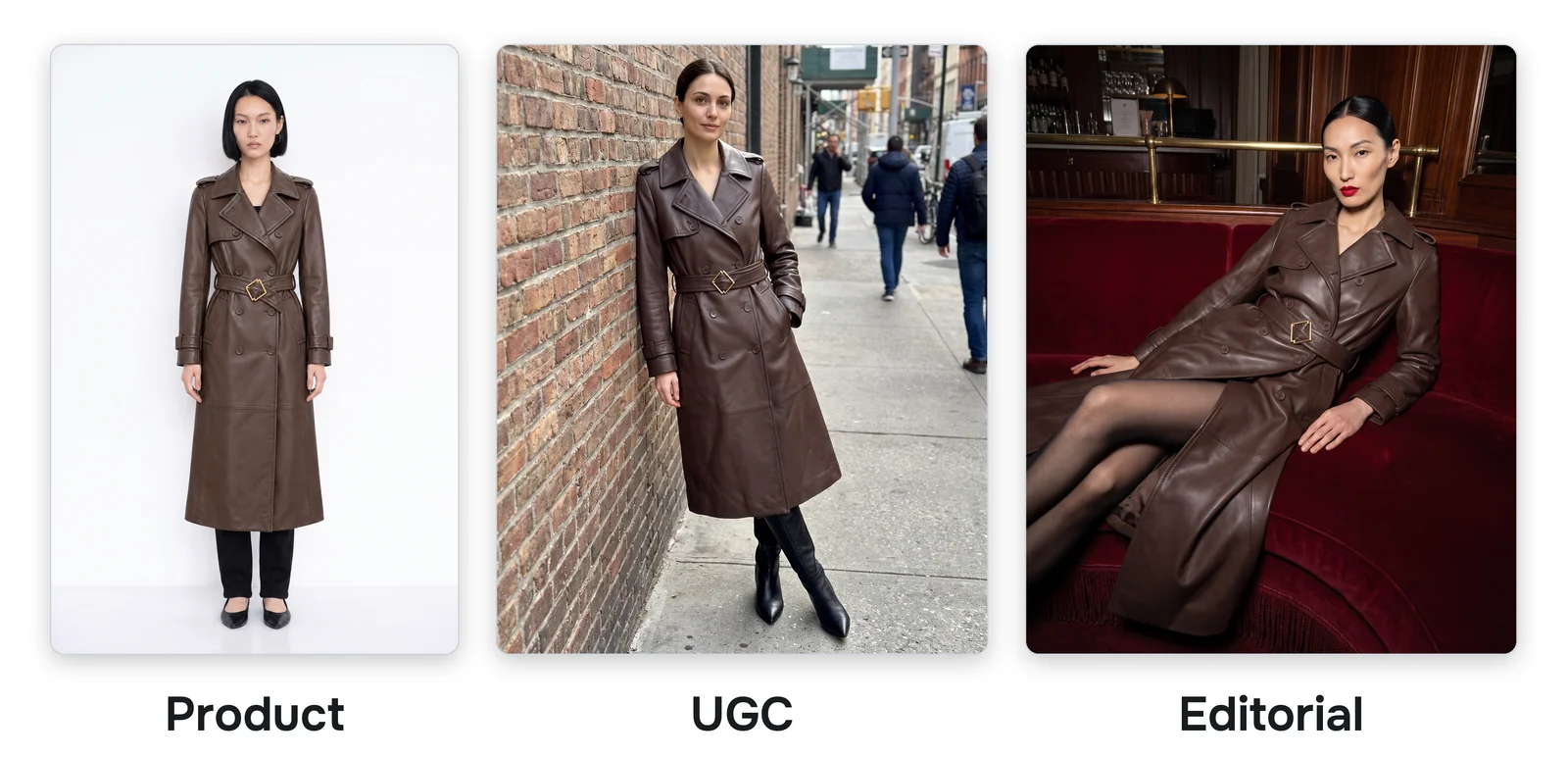
I learned this as a merchandiser. A merchandiser chooses where the photos go on the website: the homepage, product lists and product pages. When we put an editorial photo on a product page, it didn't do well. When we posted product or editorial photos on social media, they didn't do well either. A great photo in the wrong place still doesn't work.
Shoppers agree. In one survey of over 25,000 people, 74% of clothing shoppers wanted to see the product on a real person (PowerReviews). And 78% of shoppers feel more confident when they see photos from other customers (Bazaarvoice).
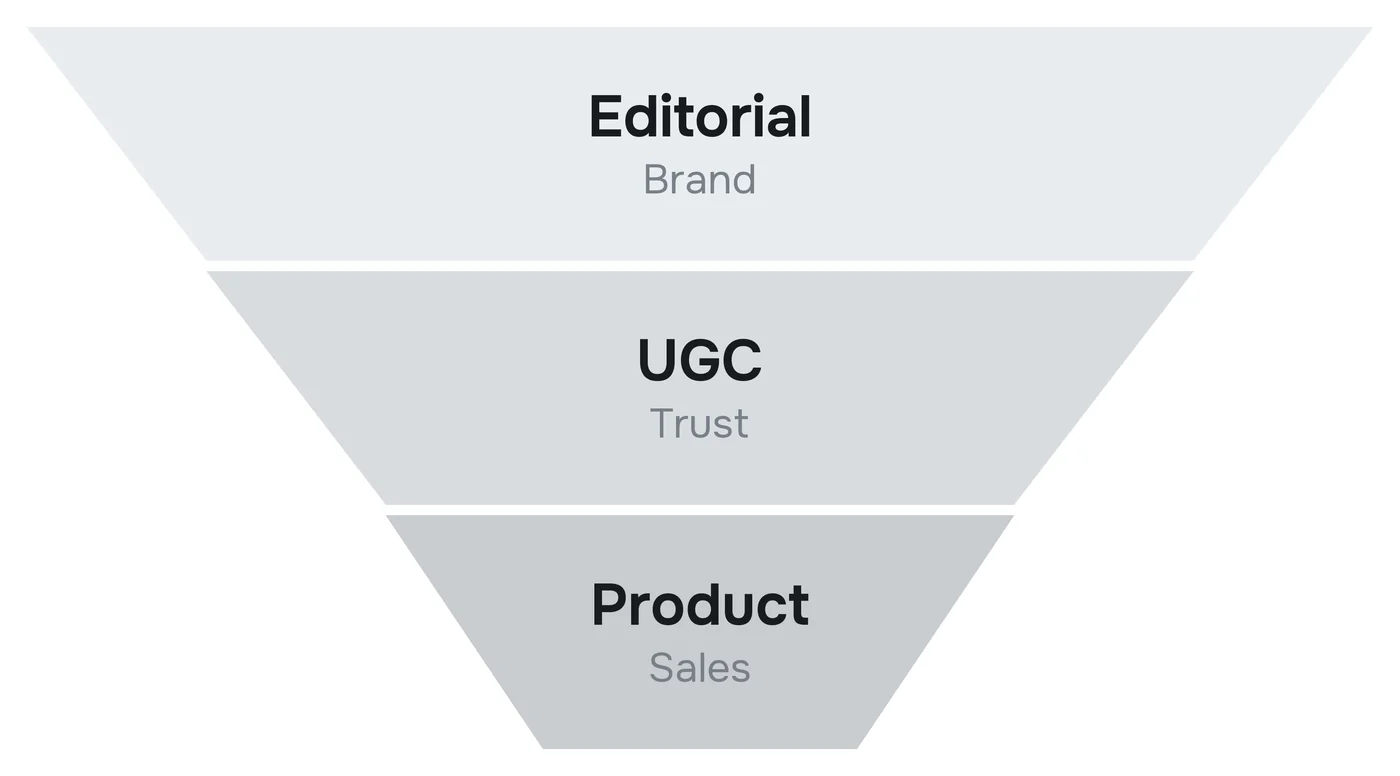
If you think in funnels, editorial is the top. It's how people first fall for your brand. UGC is the middle, where they start to trust you. Product photos are the bottom, where they decide to buy.
One Photo of a Coat
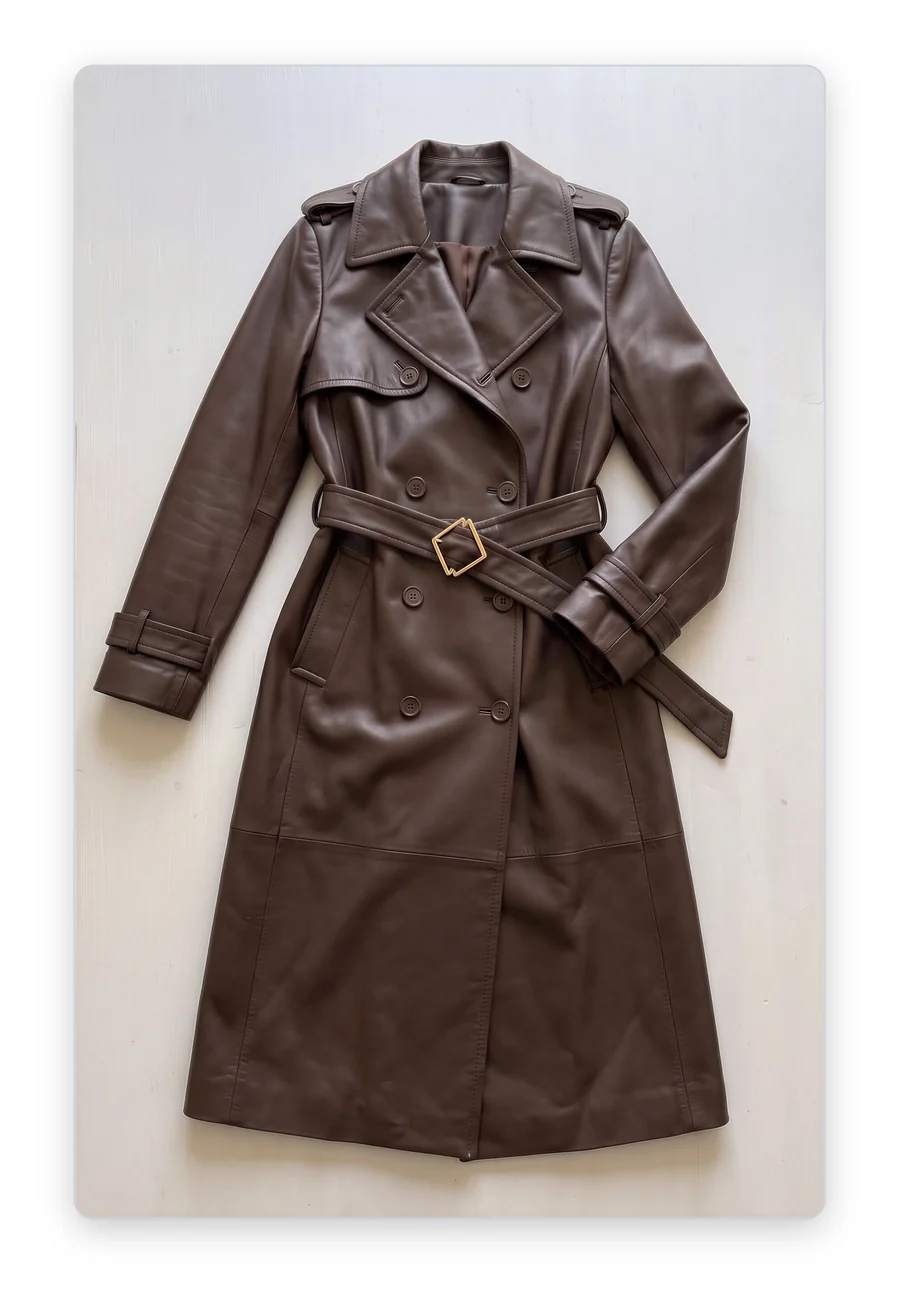
I made all three with the FASHN Agent, starting from one flat lay of a leather trench coat. Each one took a single short message. If you need a good photo of your own product to start from, here's how I photograph clothes for AI.
Product: It Pays the Bills
For years about 80% of my job was product photography: shooting, selecting and editing. It's the most boring type of content and the most important. Product photos are what people look at right before they buy, so they generate the sales. That's what pays the bills.
To do that, a product photo has to show people exactly what they're buying. That means plain, and every product shot the same way. Same background, same light, same angles. I once worked with a couture designer whose photos were beautiful but way too creative for a product page.
In the Agent I attached the coat and a model, then sent one short message:
Put this coat on her. Product photos on a white background: front, side and back.
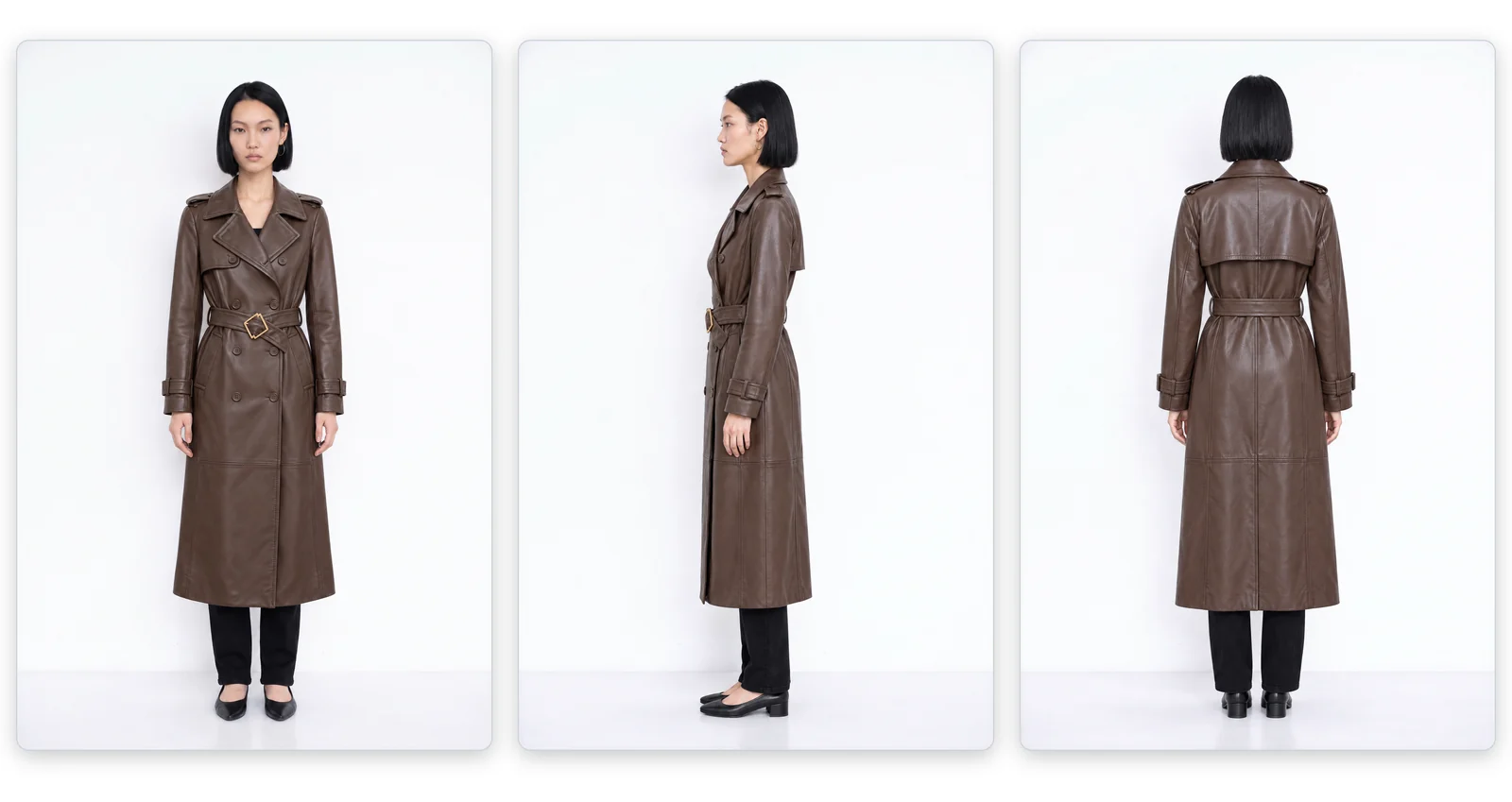
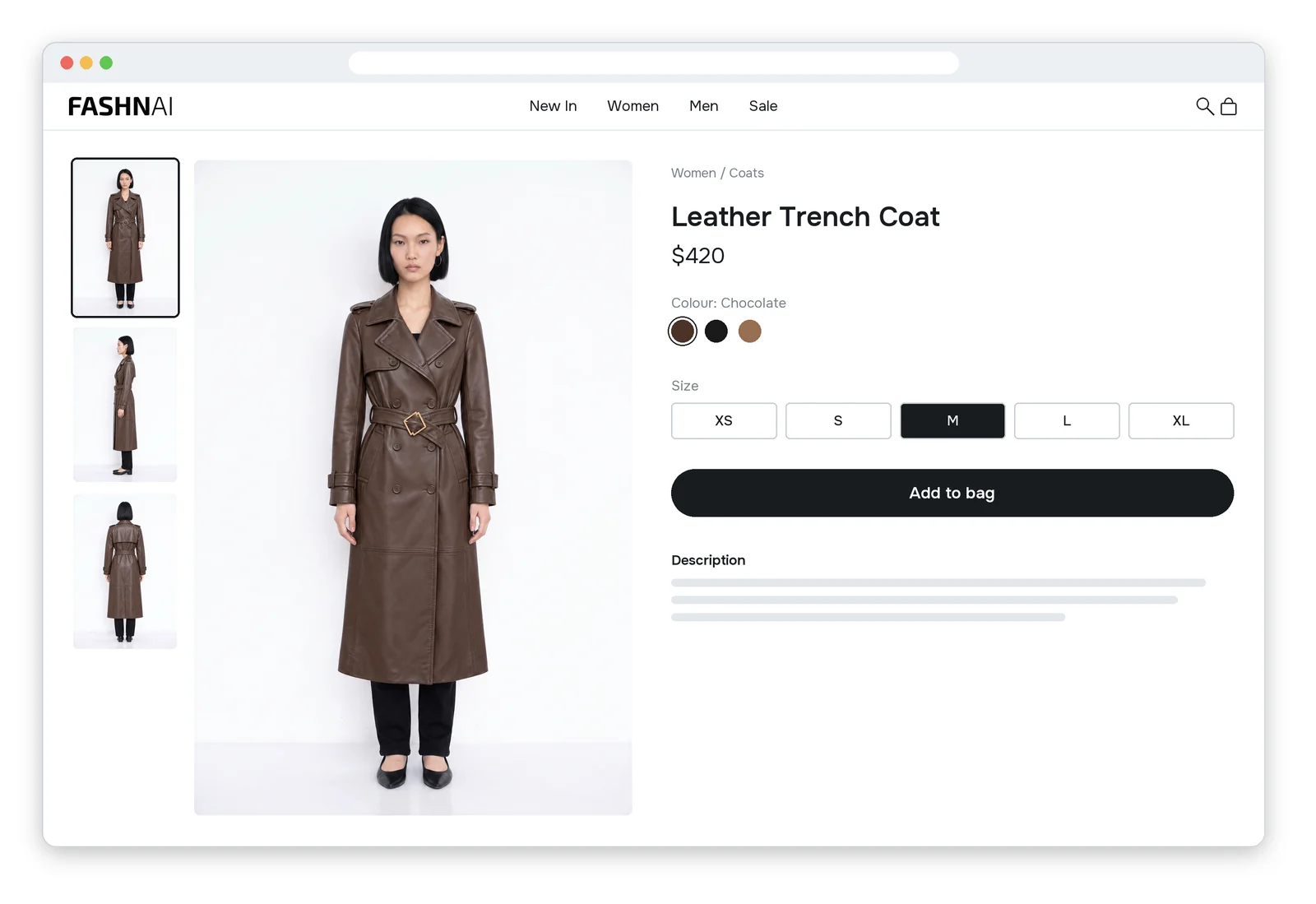
Here's the part that matters for a whole store. I can send that exact message for every product I sell, and every page will match.
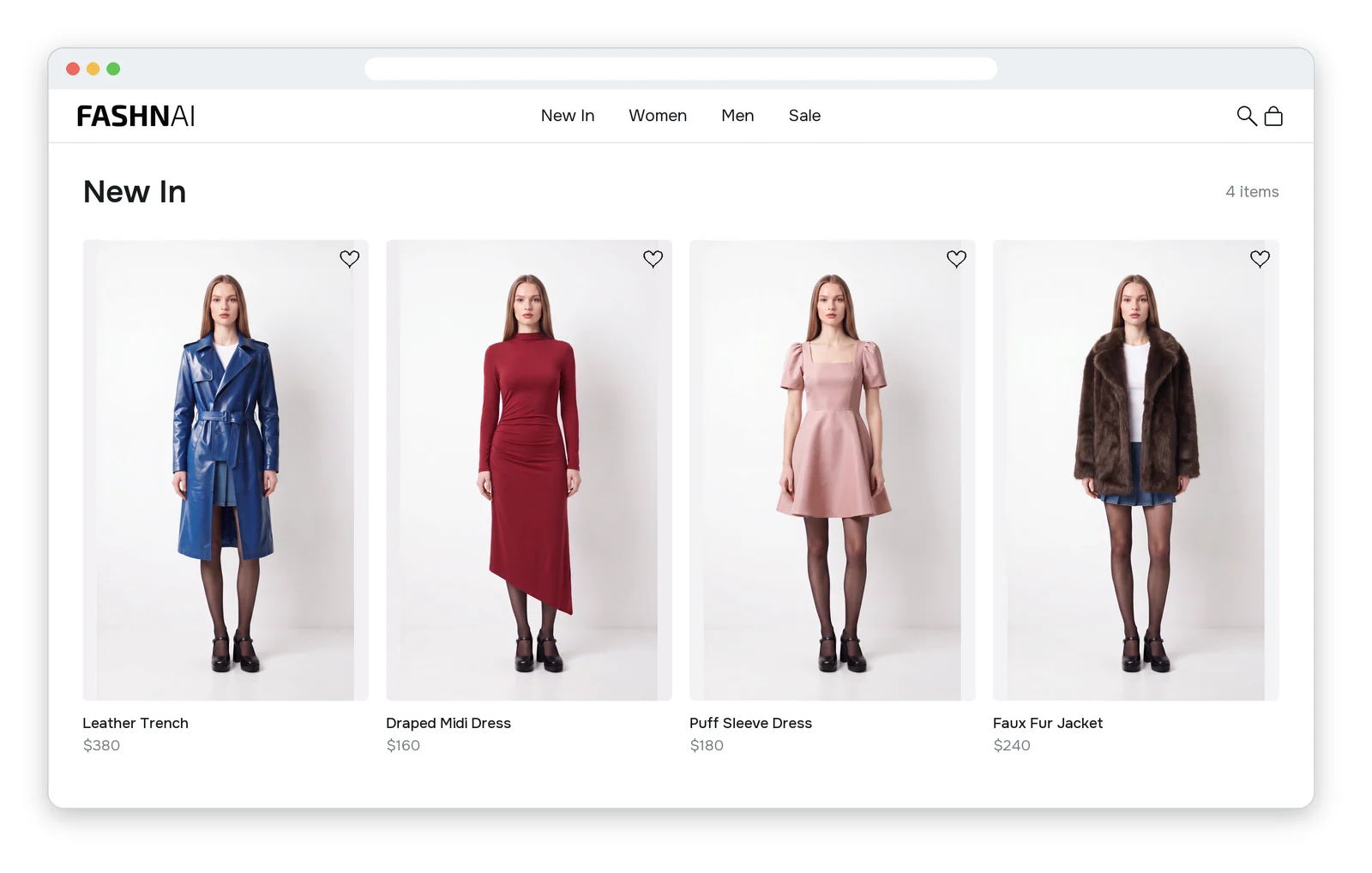
UGC: It Wins Social
UGC means user generated content. It's the photo a customer or an influencer would post. No studio and no fancy lighting, just a phone. People trust it because it doesn't look like an ad.
On social media nothing worked better than UGC. At the brand where I spent four and a half years, girls tagged us in photos of themselves in our dresses. Every day we picked one and sent her a 100 dollar gift card. That program helped grow our Instagram to half a million followers.
Influencers are harder. I once paid one and then waited months for the photos. After that I started making UGC photos with AI. It took minutes instead of months, and those posts were some of our best.
This time I didn't attach a model. I described her with words: what she looks like, where she is and the photography style. Then I ended with "shot on an iPhone." That one line makes it look like a real phone photo instead of a studio shot.
Put this coat on a fashion influencer with a low bun and pointed black boots, leaning against a wall on a city street. UGC style, shot on an iPhone.
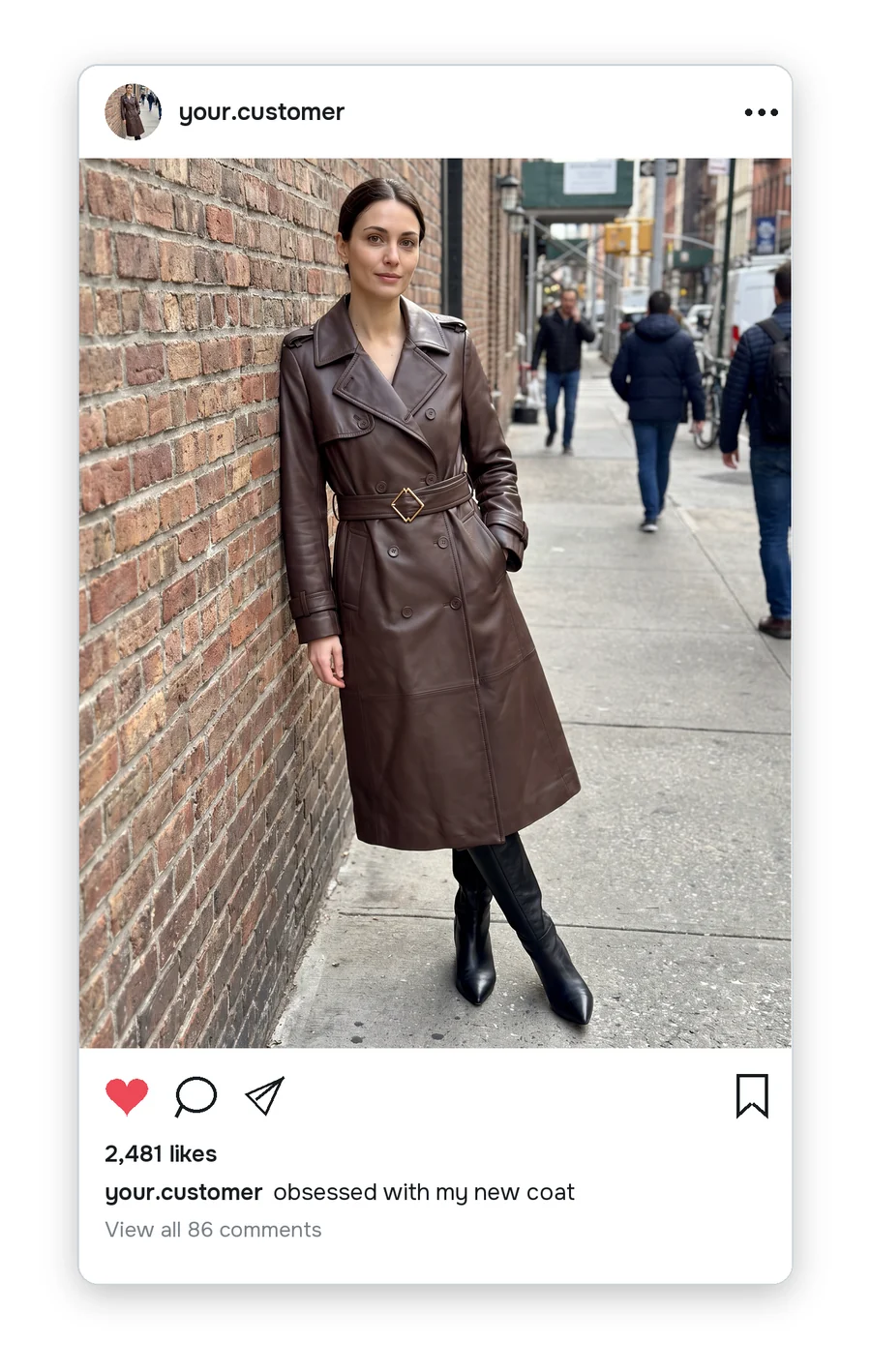
Editorial: It Sets the Mood
Editorial photos look the coolest, and they cost the most. An editorial campaign needs a creative director, a photographer, a model, a location and a whole crew. It's less about the product and more about the mood. That's why it doesn't do well on a product page. Someone ready to buy wants to see the coat, not the mood.
The lines between the types can blur. Our editorial photos at a pajama brand I worked with were creative but shot in a natural setting. They sat somewhere between editorial and UGC.
To make editorial photos with AI, think like a creative director. On a real shoot you'd write a brief for the crew: who the model is, where you're shooting, how it's lit and which shots you need. Your message to the Agent is that brief.
Put this coat on a model with slicked back hair, red lipstick and sheer black tights, sprawled across a red velvet couch in a hotel bar. Flash, low angle, 14mm lens. Three shots from different angles: full body, crop, close-up.
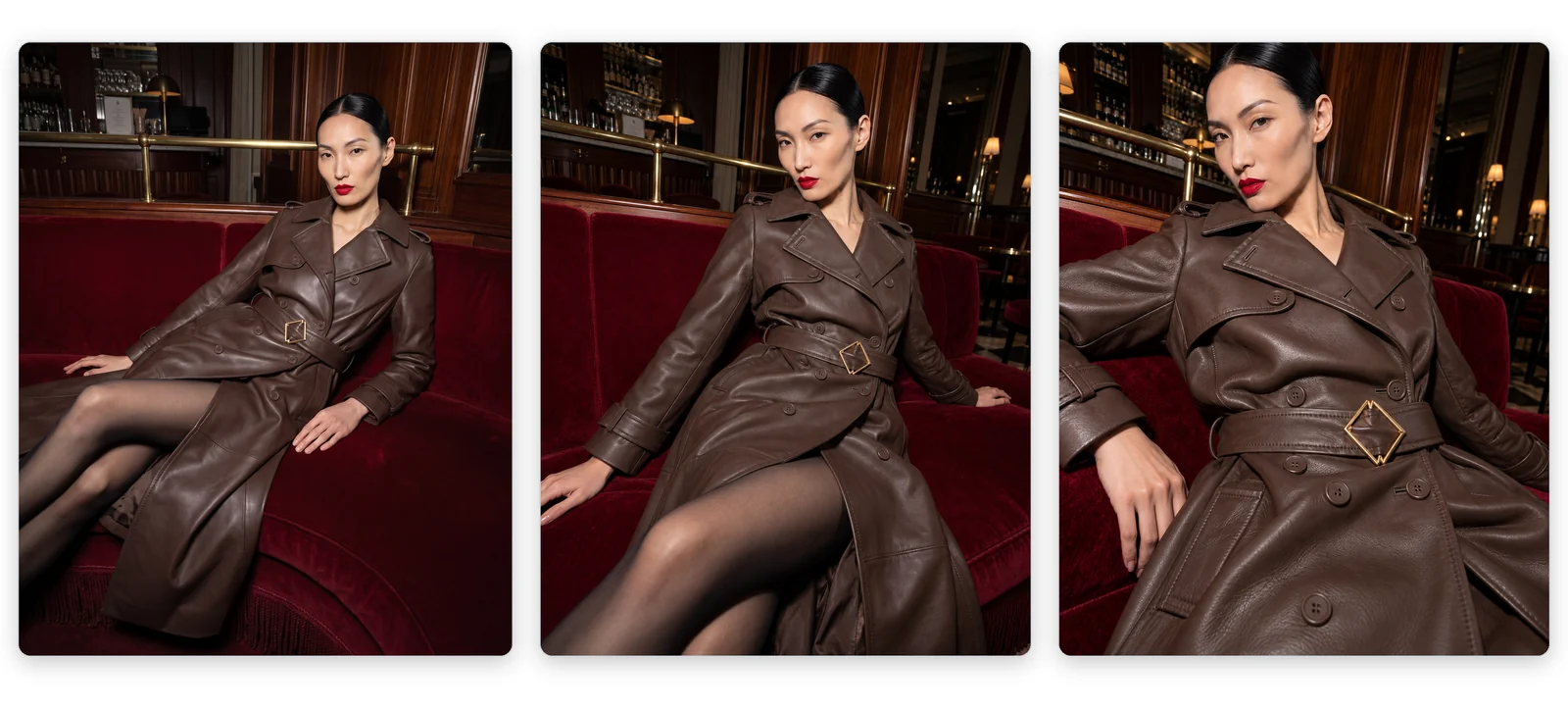
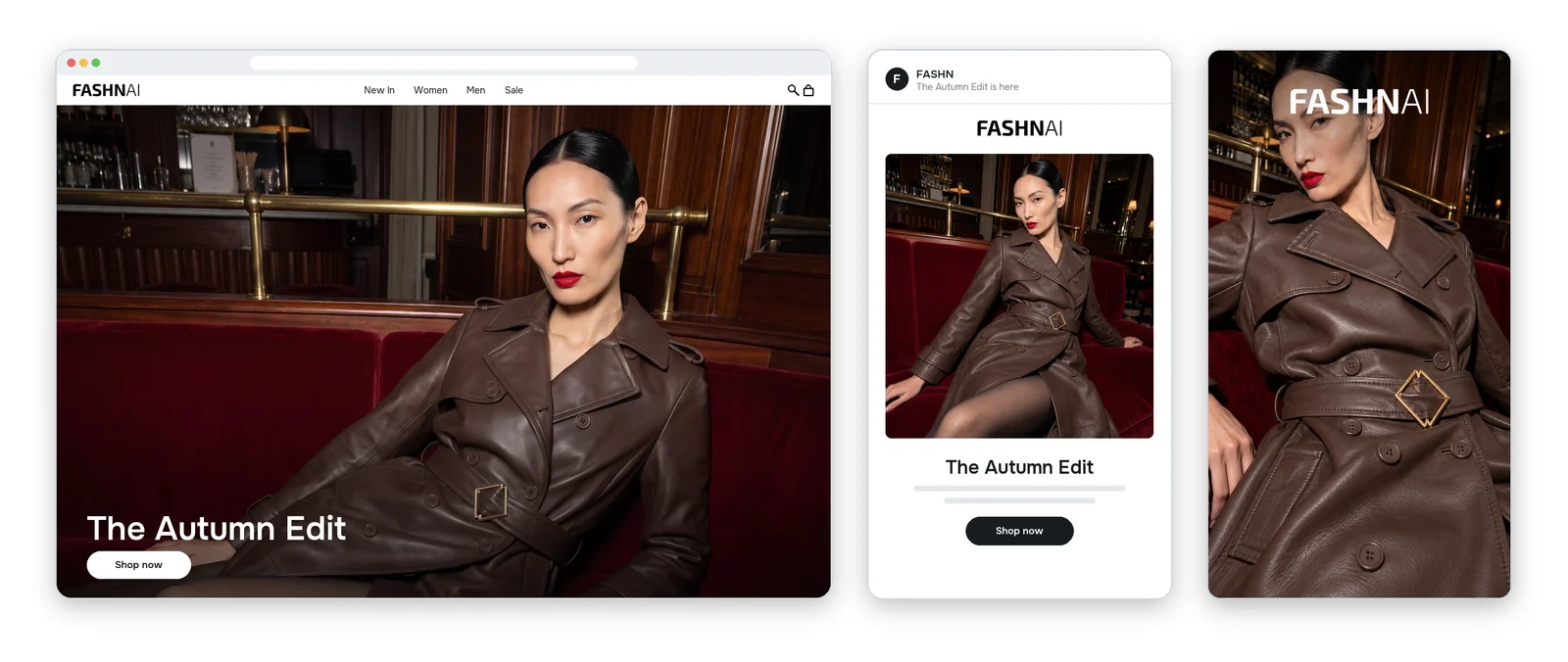
Same coat as the product photos. A completely different feel.
The Cheat Sheet
| Product | UGC | Editorial | |
|---|---|---|---|
| Role | Sales | Trust | Brand |
| Where | Product pages | Social media | Homepage, emails and campaigns |
| Before AI | A studio day | Influencers | A full crew |
| Prompt | One message, reused | A real place and "shot on an iPhone" | A brief: model, place, light and shots |
Where to Start
Start with product photos. Nobody can buy what they can't see. Then make UGC photos for social media. Save editorial photos for a launch or a new season.
The exact steps are in the help center guide. Try FASHN free. You get free credits when you sign up.
If you try it, leave a comment on the video. I read every one.
About the Author
Tony Assi is the Creative Engineer at FASHN. Before FASHN he spent years in content and marketing for fashion brands. He holds an MFA in Digital Art and New Media, where his thesis was on fashion and AI.

Written by
Tony Assi