FASHN vs ChatGPT
ChatGPT can make almost any image you can describe. FASHN is built only for fashion, so it already knows what you'd otherwise have to explain: the type of garment, how it was photographed, how it should sit on a body, and what a product page needs. Here's how they compare.
Last updated: · 10 min read
Which one is right for you
 FASHNAI
Best for product photos you'll publish, where every garment has to look exactly like the real one.
- Knows garment types and how they fit
- The same model across your catalog
- Packshots, 4K images, and video
 ChatGPT
Best for one-off creative images, like campaign ideas, where the garment doesn't have to be exact.
- Concepts and styling ideas from a prompt
- Lifestyle scenes and posts with text
- Included if you already use ChatGPT
Feature by feature
| Feature | FASHNAI | ChatGPT |
|---|---|---|
| Fashion knowledge | ||
| Models built for clothing | Yes | One general image model |
| Knows tops, bottoms, one-pieces, and full outfits | Yes | You describe it |
| Reads flat lays, mannequins, and on-model photos | Yes. Detected automatically | You describe it |
| Shoes, bags, hats, and jewelry | Yes | Yes. By prompt |
| Fashion images | ||
| On-model photos from flat lays and mannequins | Yes | Yes. By prompt |
| Ghost mannequin and flat-lay packshots | Yes | By prompt |
| Model swap and face swap | Yes | By prompt |
| Virtual try-on | Yes. In the app, and on your store | Yes. For shoppers inside ChatGPT |
| Models | ||
| Create an AI model | Yes | Yes |
| Same model across a catalog | Yes. Face reference, every plan | Re-describe or re-upload each time |
| Ready-made model library | Yes | No |
| Output | ||
| 4K images | Yes. Every plan | Resolution not published |
| AI video | Yes. 5 or 10 seconds | No. Sora was discontinued |
| Typical wait for an image | About 10 seconds | Up to a few minutes |
| Image limits | Monthly credits, plus daily bonus credits | Not published, and vary with demand |
| Beyond fashion | ||
| Writing, research, and coding | No | Yes |
| Posters, logos, and graphics with text | No | Yes |
| Any kind of product | Fashion and accessories | Yes |
| Plans and data | ||
| Starting price | $19 a month | Free, or $8 to $20 a month for more |
| API | Yes. Fashion endpoints, from $0.075 | Yes. General image API, priced by tokens |
| Trains AI on your uploads | No, unless you opt in | Yes on personal plans, unless you opt out |
| Who owns the images | You do | You do |
ChatGPT and FASHN can both put your clothes on a model, edit a photo from a prompt, and show clothes on a photo of a person. FASHN adds fashion knowledge built into every tool: it knows garment types, how a product was photographed, and what a product page needs, and it keeps the same model across your catalog, with packshots, 4K images, and AI video on every plan. ChatGPT adds everything else: writing, research, posters, logos, and graphics with text, in one assistant you may already use.
A general model, or one that knows fashion
The question isn't which tool can make a nicer picture. It's which one already knows fashion.
ChatGPT makes images with one general model, ChatGPT Images 2.5, that can draw anything from a logo to a landscape. Clothing is one of thousands of things it's asked to make, so it knows nothing about your product until you explain it: what kind of garment it is, how it was photographed, how it should fit, and what must not change. To get a product photo, you describe all of that in the chat, check the result, and ask for changes until it's right.
FASHN is built only for fashion, and its own models are trained for it. The tools already know the things you'd otherwise have to explain:
- The garment. Tops, bottoms, one-pieces, and full outfits, plus shoes, bags, hats, and jewelry.
- How it was photographed. A flat lay, a ghost mannequin, a hanger shot, or a photo of someone wearing it. From a flat lay or mannequin photo, FASHN detects the type of garment on its own.
- How it sits on a body. Bulky pieces like coats and knits keep their volume, and the model's body shape and skin texture stay natural.
- What a product page needs. Front, back, and close-up shots on the same model, packshots, video, and sizes like 4:5, 3:4, and 2:3, at up to 4K.
You tell the FASHN Agent what you need in plain words, and it picks the right tool, writes the detailed prompt for you, and remembers the whole conversation. If you'd rather set everything yourself, the Studio gives you each tool on its own, with a slot for the product, the model, and the pose.
How much you have to explain
This is the difference most people notice first. In ChatGPT, the prompt carries everything, including what must not change. OpenAI's own prompting guide recommends spelling out what to keep, such as the face, body shape, and pose, and repeating a description of the person in every prompt. A catalog shot in ChatGPT often looks something like this:
Using the attached photo of the coat, create a full-length studio photo of a woman in her late 20s with a sleek black bob, wearing this exact coat, belted. Keep the color, the shine of the leather, the lapels, the buttons, the belt, and the length exactly as in the photo. Plain light gray background, soft even light, front view, 4:5. Use the same woman and lighting as in the earlier images.
In FASHN, the product photo and your model's face are inputs, not sentences, and keeping the product as it is is the tool's job. With both attached, this is enough:
Put this coat on my model in a studio, belted.
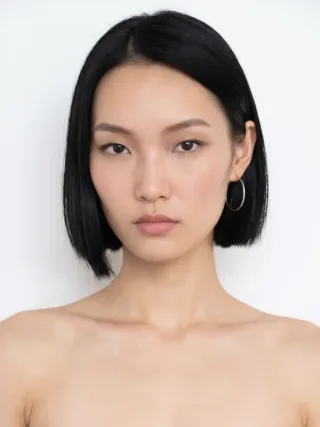
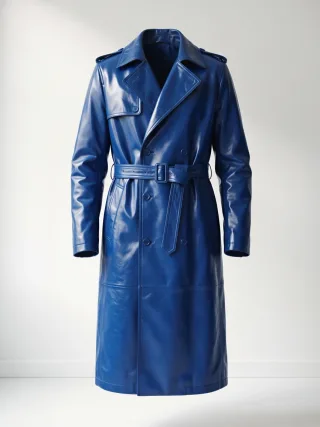
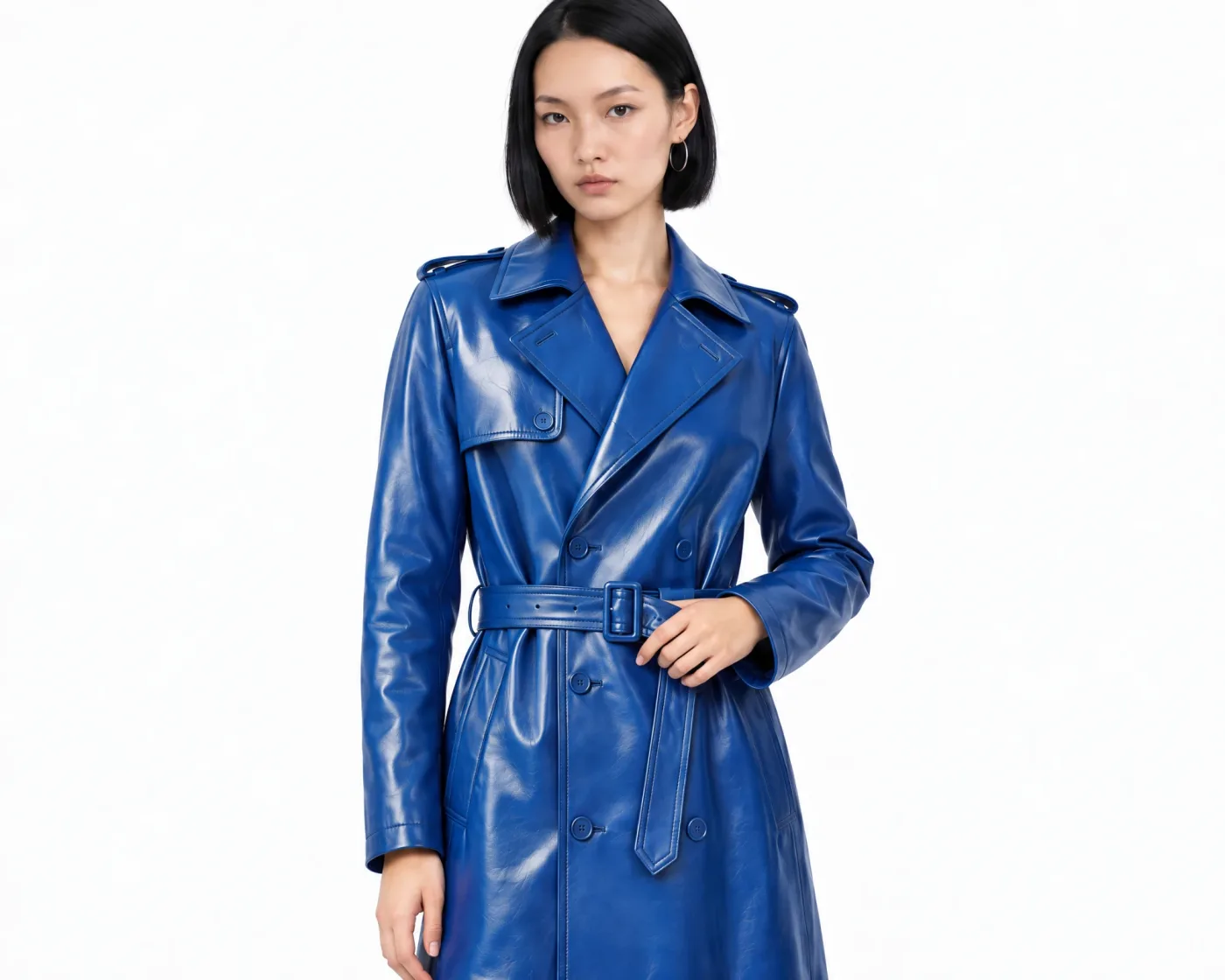
The prompt is only part of it. People who make catalog photos in ChatGPT describe a routine to keep results on track:
- Start every image from the original product photo, not the last result.
- Make one change per message, and repeat what must not change.
- Start a new chat when images turn grainy after several edits.
- Check every image closely for changes to the print, the logo, and the fit.
In FASHN, your product photos and face reference stay attached as inputs, so each new image can start from the originals, and keeping the product as it is is built into the tools.
Best in this category: FASHN. You describe the shot, not the rules for keeping your product intact.
Keeping the garment as it is
ChatGPT creates a new image each time, guided by your photo and your prompt. OpenAI says Images 2.5 is better at preserving the subjects in reference photos and at changing only what you ask for. Its help pages still note that edits may extend beyond the area you select, and its developer guide lists keeping recurring characters and brand elements consistent as a known limitation. In user reports and published tests from 2025 and 2026, the problems that come up most are prints and stripes redrawn at a different scale, necklines and sleeve lengths that change, hardware and pockets that move or disappear, colors that shift, and fabric that looks flatter than the real thing.
Images 2.5 has improved this, and on a single image the gap is smaller than it was. It shows most across a catalog, where every image has to match the garment your customer receives.
FASHN develops its own models and workflows for fashion, so they're built to keep the color, print, and details of the product, including zips, buttons, and hardware. One image can take up to six inputs, like the products in a look, your model, and a pose or background, and the products can include shoes, bags, hats, and jewelry. Every plan exports at up to 4K.
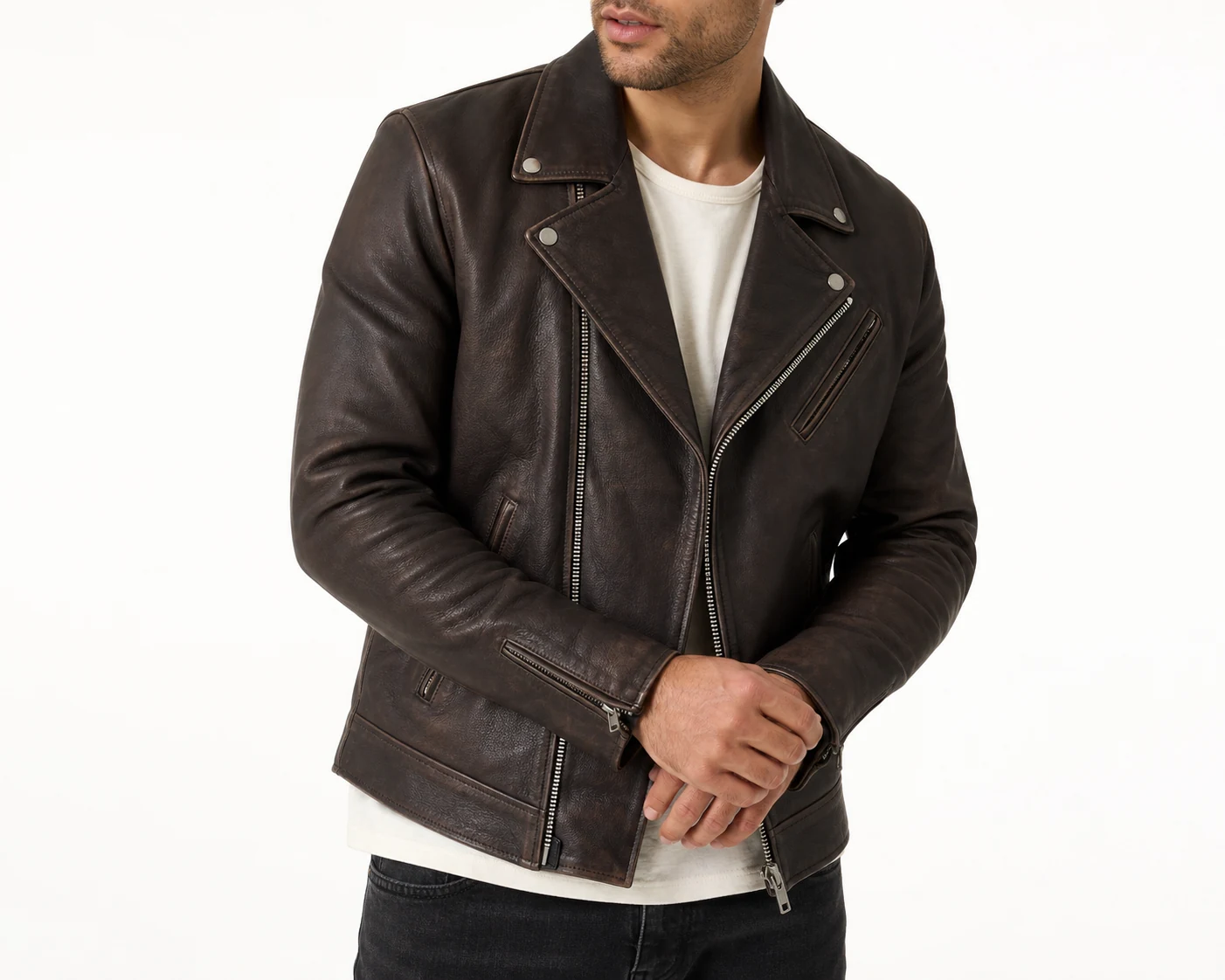
The same goes for packshots. Packshot turns a quick phone photo into a clean ghost mannequin, flat-lay, or floating product shot, with the logo and colors as they were:
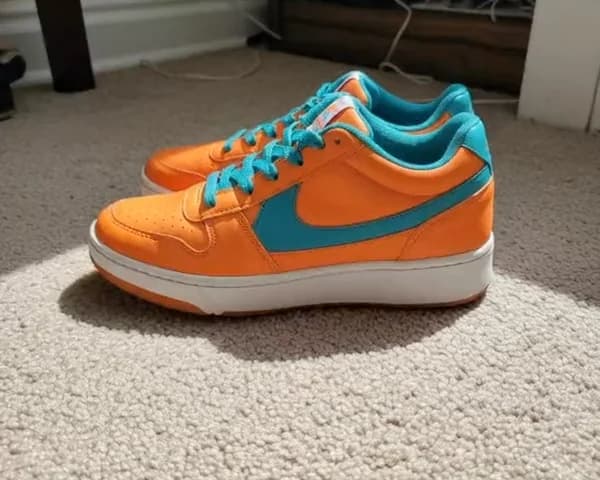
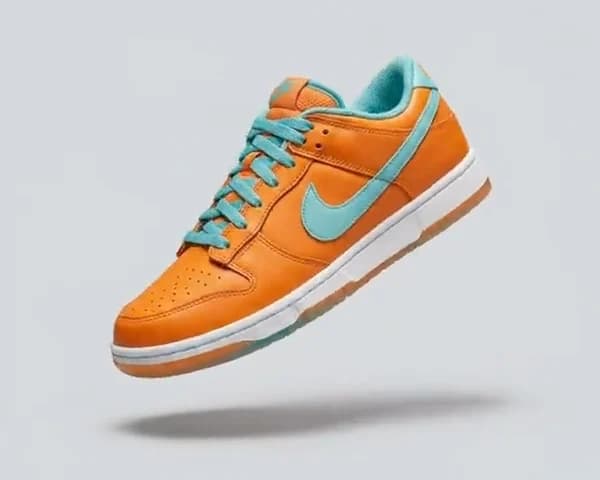
Best in this category: FASHN. It's built to keep your product exactly as it is, so you spend less time checking and redoing images.
When the model changes
General image models change fast. ChatGPT's image model has changed three times in under a year: GPT Image 1.5 in December 2025, Images 2.0 in April 2026, and Images 2.5 in September 2026. Each update is better overall, but it also changes how your saved prompts behave, so a prompt that gave you the right look last month may not give it this month. On OpenAI's developer forum, users have reported sudden drops in how closely it follows reference images.
In FASHN, you don't depend on a prompt to hold your look together. Your inputs stay the same: the product photo, the face reference, the pose, and the format. When FASHN improves its models, you keep the same tools and the same inputs.
Best in this category: FASHN. Your catalog stays consistent from one model update to the next.
The same model in every photo
A catalog looks like one shoot when every product is on the same person. ChatGPT doesn't have a saved-model feature. To keep a model consistent, you re-upload an approved image as a reference, or repeat the same detailed description of the person in every prompt. Faces can drift over a long catalog, especially when each new image is made from the last one, a copy of a copy.
In FASHN, you create a model by describing them, pick one from the Elements library, or start from a photo of someone who has agreed to it. Then you add their face as a face reference, and every product is shown on the same person, in any pose or setting. There's no training step, and it works on every plan. To bring older photos in line, Model Swap puts your model into them and keeps the outfit, pose, and light.
Best in this category: FASHN. One face reference keeps the same model across your whole catalog.
Try-on
Both now offer virtual try-on, for different people. Since October 2026, ChatGPT shopping has a Try on button: a shopper uploads a selfie and sees clothes from ChatGPT's results on themselves, inside ChatGPT. OpenAI notes the images may not show the product or the person exactly, and in TechRadar's review, the clothes looked right but the reviewer's body proportions changed.
FASHN's Try-On is for brands. In the app, it dresses a real person in your product while keeping their pose and background. Through the API, you can add try-on to your own store, so shoppers see your products on themselves without leaving your site.
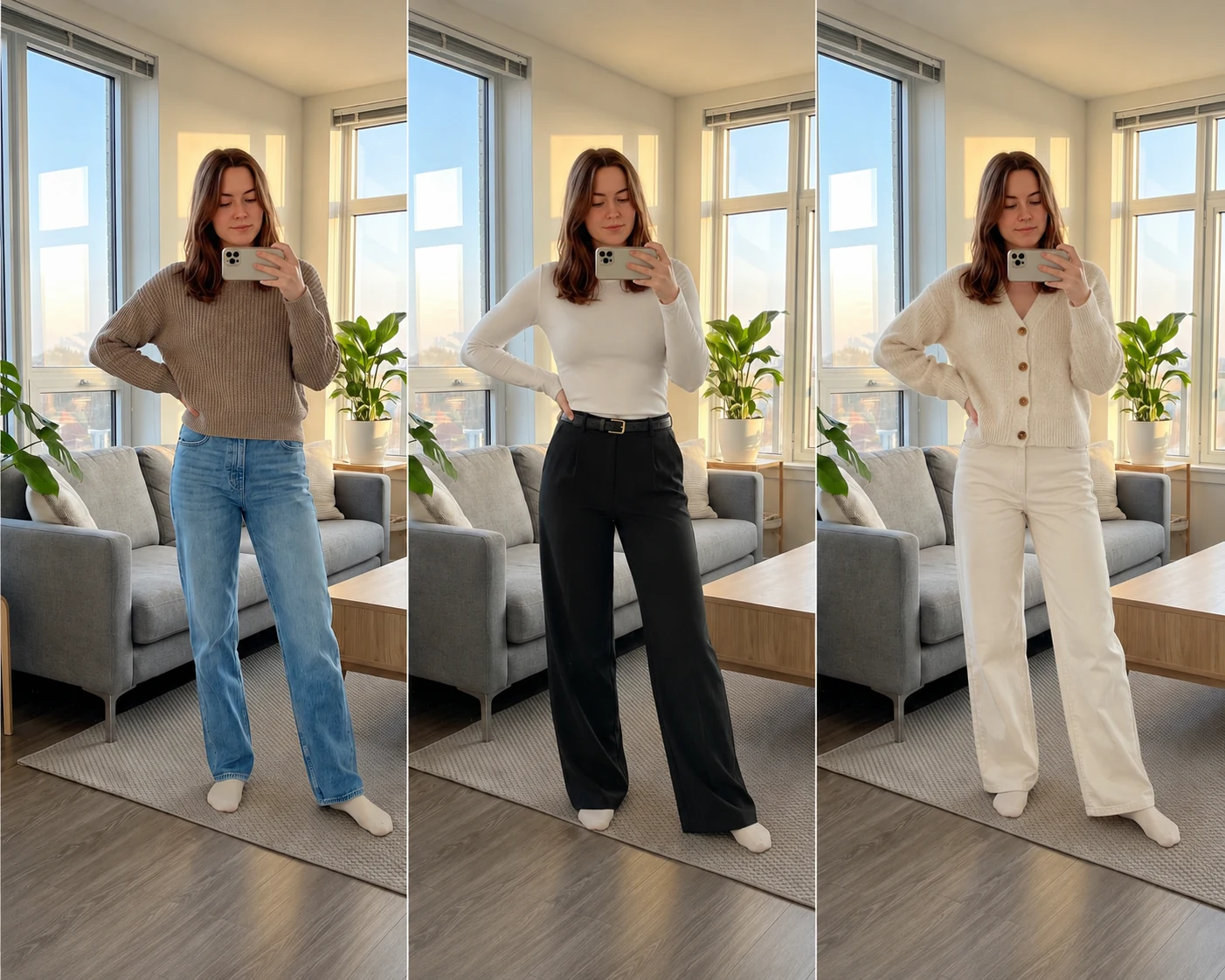
Best in this category: FASHN for brands. ChatGPT's try-on helps people shop inside ChatGPT. FASHN puts try-on in your own product photos and on your own store.
Video
ChatGPT doesn't make video. OpenAI discontinued the Sora app in April 2026 and the Sora API in September 2026.
FASHN turns any image into a 5 or 10-second clip with natural fabric and model motion. You can describe the motion, set the final frame with an end image, or let the Agent plan it. Video is on every plan, at up to 720p on Basic and 1080p on Pro and Agency, and it's in the API. More on Short Videos.
Best in this category: FASHN. It's the only one of the two that makes video.
Speed, size, and limits
ChatGPT says an image may take a few minutes, depending on the request, and you can keep chatting while it works. It can make images in any aspect ratio, but OpenAI doesn't publish the output resolution in ChatGPT. Image limits aren't published either: the Free plan has "limited image creation," Go and Plus have more, limits can tighten when demand is high, and Pro is unlimited within abuse guardrails.
In FASHN, most images are ready in about 10 seconds, and the highest quality settings take up to about a minute. Every plan exports at up to 4K, and you can reframe any image to 1:1, 4:5, or 9:16 for marketplaces and social. Each plan has a set number of monthly credits, and Pro and Agency add bonus credits every day.
Best in this category: FASHN. Images come back in seconds, at 4K, with limits you know in advance.
Pricing
ChatGPT has a free plan, and if you already pay for Plus for writing and research, its images come at no extra cost.
| FASHN | ChatGPT | |
|---|---|---|
| Free | 10 free credits to try it | A free plan with limited image creation |
| Paid plans | Basic $19, Pro $49, and Agency $99 a month | Go $8, Plus $20, and Pro from $100 a month, or Business from $20 per user |
| Images | 200 to 1,500 credits a month, plus daily bonus credits on Pro and Agency | Limits not published. Pro is unlimited within abuse guardrails |
| 4K | Every plan | Resolution not published |
| Video | Every plan | Not available |
For developers, OpenAI's image API is priced by tokens, so the cost of each image depends on its size, its quality, and the reference images you send. FASHN API credits cost $0.075, and a try-on starts at 1 credit. See our pricing page for full details.
Best in this category: ChatGPT to start, FASHN for production. ChatGPT costs less if you already use it for everything else. FASHN's price buys product photos and video you can publish, in volumes you can plan for.
Privacy and ownership
With both, you own the images you create. On ChatGPT's personal plans, Free, Go, Plus, and Pro, OpenAI may use your conversations and uploads to train its models unless you switch it off under Data controls. Business, Enterprise, and API data isn't used for training by default. Images from ChatGPT also carry Content Credentials (C2PA) and an invisible watermark that mark them as AI-generated.
FASHN doesn't train on your uploads or results, in the app or the API, unless you opt in through a separate agreement. Both require consent before you use a real person's likeness.
Best in this category: FASHN. Your uploads stay out of AI training on every plan, without changing a setting.
Where FASHN is the better choice
If the images are going on a product page, these are the reasons to pick FASHN.
- Accuracy without long prompts. The tools keep your product as it is, so you describe the shot, not the rules.
- The same model every time. A face reference keeps one person across your catalog, on every plan.
- Every image a listing needs. On-model photos, packshots, model swap, try-on, and video, in one place.
- 4K and video. Both are on every plan. ChatGPT doesn't publish its resolution and no longer makes video.
- Speed and predictable volume. Most images take about 10 seconds, with a set number of credits each month.
- A fashion API. Product to model, try-on, model swap, and video, with official TypeScript and Python SDKs.
Where ChatGPT is the better choice
ChatGPT does far more than images, and for some work that matters more than anything above.
- One assistant for everything. Product descriptions, emails, research, and images in the same chat.
- Graphics with text. Posters, social posts, logos, and merch mockups.
- Creative exploration. Moodboards and campaign ideas before a shoot.
- Styled scenes without a model. Products on a table with props, for social posts.
- Any kind of product. Not just clothing and accessories.
- A few images now and then. There's a free plan, and if you already pay for Plus for other work, occasional images cost nothing extra.
Using ChatGPT and FASHN together
You don't have to pick one. Use ChatGPT for ideas, moodboards, product descriptions, and graphics with text. Then make the product photos and videos you'll publish in FASHN, where the garment and the model stay the same from one image to the next.
New accounts get 10 free credits, so you can run a few of your products through the Agent and compare the results with ChatGPT before you pay. If you've been reusing a model you made in ChatGPT, you can add that image as a face reference in FASHN.
Common questions
Still have questions? Visit our Help Center
Ready to take control of your
fashion content?
Join thousands of brands and creators using FASHN AI to create premium product imagery in seconds.

