
How to Create Consistent On-Model Product Images with AI
Learn two proven methods to create consistent AI models for on-model product images. Use Try On to re-dress existing models or Face Reference to generate new poses while maintaining the same model identity across all your visuals.

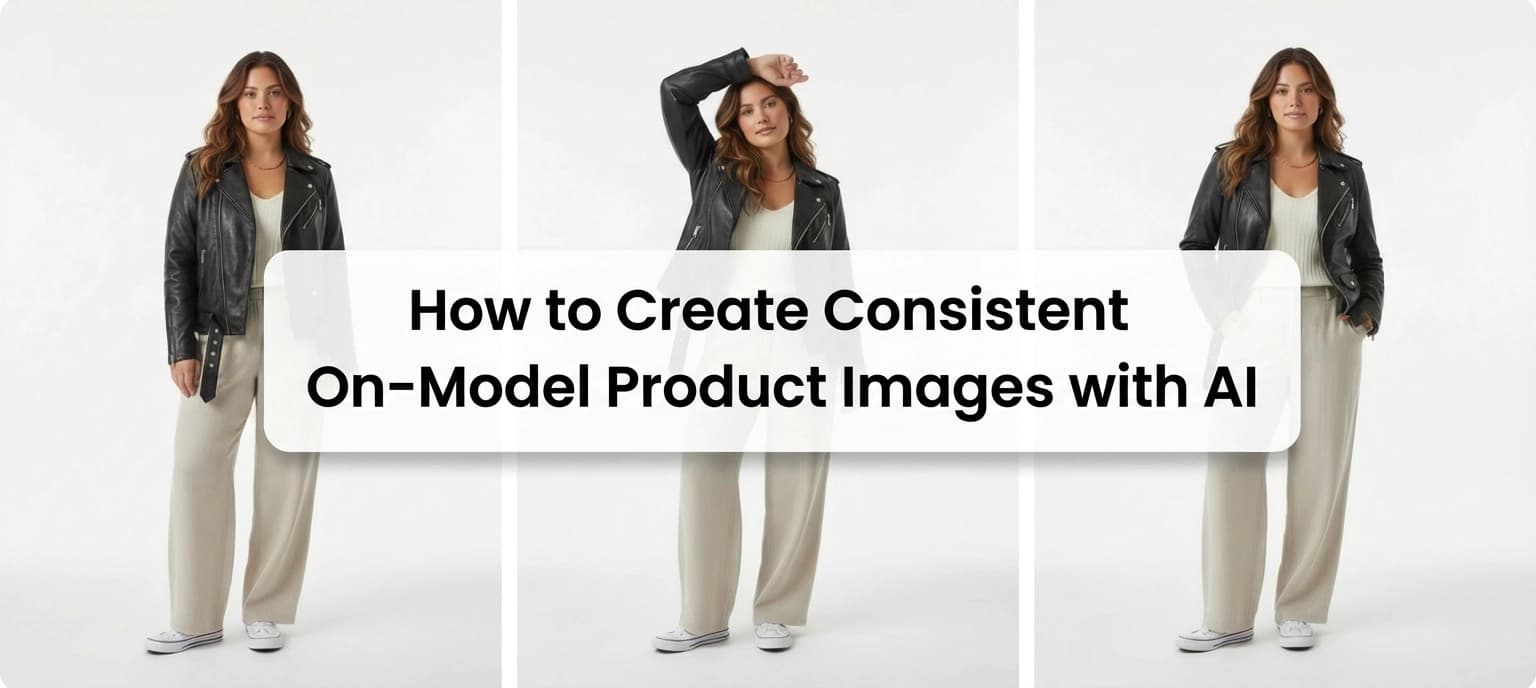
AI has made it easy to generate on-model product images in minutes. The harder part is making those images look like they belong together.
When every new image introduces a slightly different face, body type, or overall vibe, the result feels more like a collage than a collection. That inconsistency shows up fast on product pages, lookbooks, and campaigns where visual continuity matters.
What many brands want is simple in theory but tricky in practice: create new on-model images with new poses, new outfits, and new scenes while keeping the same model identity every time.
There are two reliable ways to do this in FASHN AI, depending on how much you want to change from image to image:
- Using Try On, where you reuse an existing model and re-dress them with new products
- Using Face Reference, where you generate entirely new images while anchoring the same identity
Both approaches can produce consistent results. They just solve the problem from different angles.
Why Model Consistency Matters for On-Model Product Images
Before getting into workflows, it helps to understand why this matters in the first place.
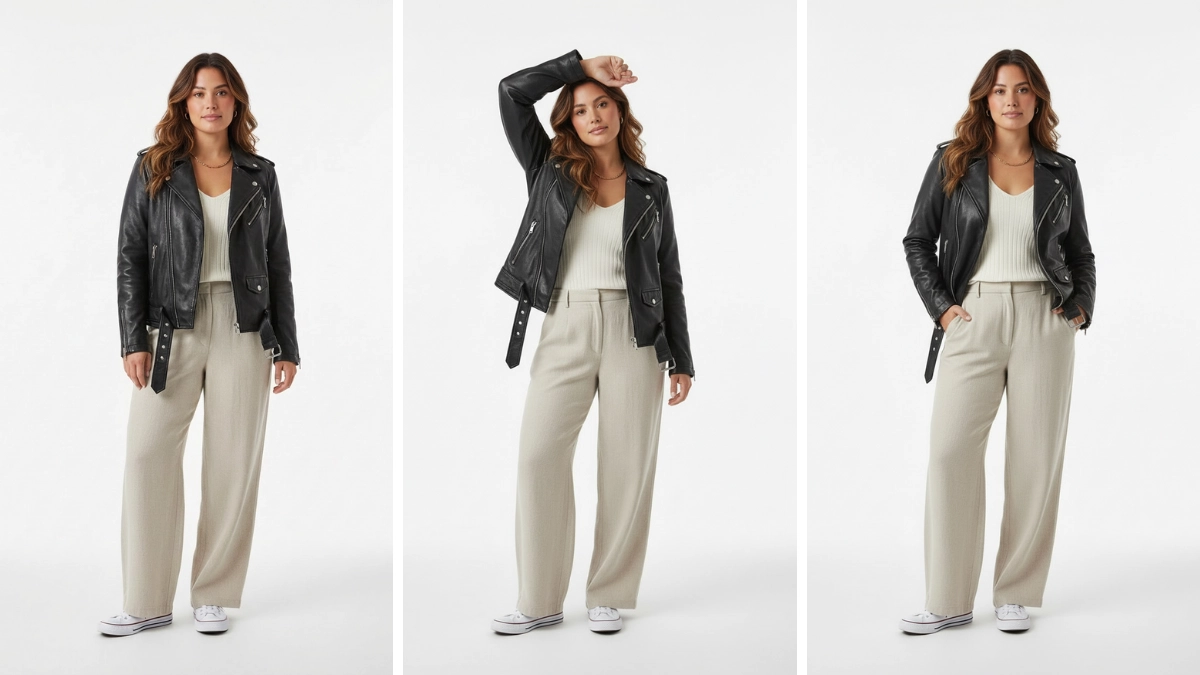
When models change from image to image, even subtly, shoppers notice, even if they can't articulate what feels off. Inconsistent faces, proportions, or styling cues can make a product grid feel stitched together instead of intentional.
Keeping the same model identity across images helps you:
- Create visual trust across product and collection pages
- Maintain a recognizable brand aesthetic
- Reuse images across campaigns without visual clashes
- Scale content production without reshooting the same person
This becomes even more important once you move beyond editing existing photos and start generating new ones.
Why This Is Harder Than Model Swapping
If you're familiar with Model Swap workflows, the goal there is relatively straightforward: keep the product image and replace the person wearing it with a consistent identity.
Here, the goal is different.
You're asking the system to:
- Generate an entirely new image
- Invent pose, lighting, framing, and environment
- Keep the same model identity anyway
That means consistency has to come from references, not from the original photo itself.
To do this well, you need to anchor the model's identity in a way the system can reliably reuse.
Two Paths to Consistency (and When to Use Each)
There's no single "correct" way to keep models consistent. The right approach depends on how much variation you want and where you're starting from.
- Try On works best when you already have a model you like and want to dress them in multiple products, often keeping the same or similar poses.
- Face Reference is better when you want to create entirely new images from scratch with new poses, new scenes, or new compositions, while keeping the same identity.
You can also combine both methods, which many teams do once they get comfortable.
Let's walk through each approach.
Achieving Consistency Using Try On
Try On is the fastest way to maintain consistency because you're starting with an existing model image and building from there.
Instead of generating a new person every time, you reuse the same model and simply change what they're wearing.
Step 1: Choose or Create a Strong Base Model Image
Everything starts with a base model image that clearly represents the identity you want to reuse.
This image should:
- Show the face clearly with no heavy shadows, sunglasses, or extreme angles
- Match the general aesthetic you want long-term
- Reflect the age range, gender expression, and proportions you plan to reuse
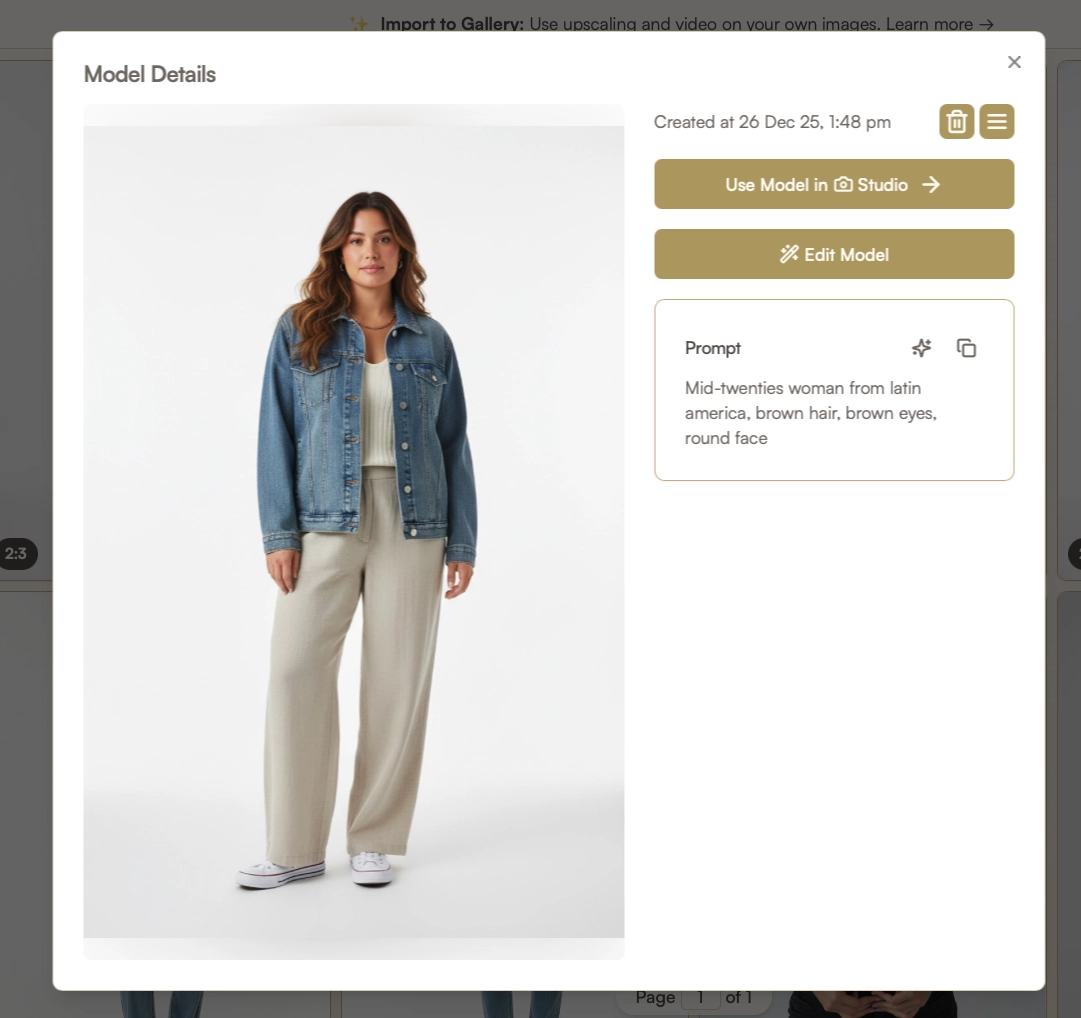
Think of this as your "anchor" image. The closer it is to your ideal, the easier consistency becomes later. To create it, go to + Create Model under the Models category. Input a prompt for the model you'd like to make and click Generate AI Model.
Step 2: Use Try On to Re-Dress the Model
With the Try On tool, you can upload new product images and apply them to the same model.
This instantly gives you:
- The same face
- The same body proportions
- The same overall look
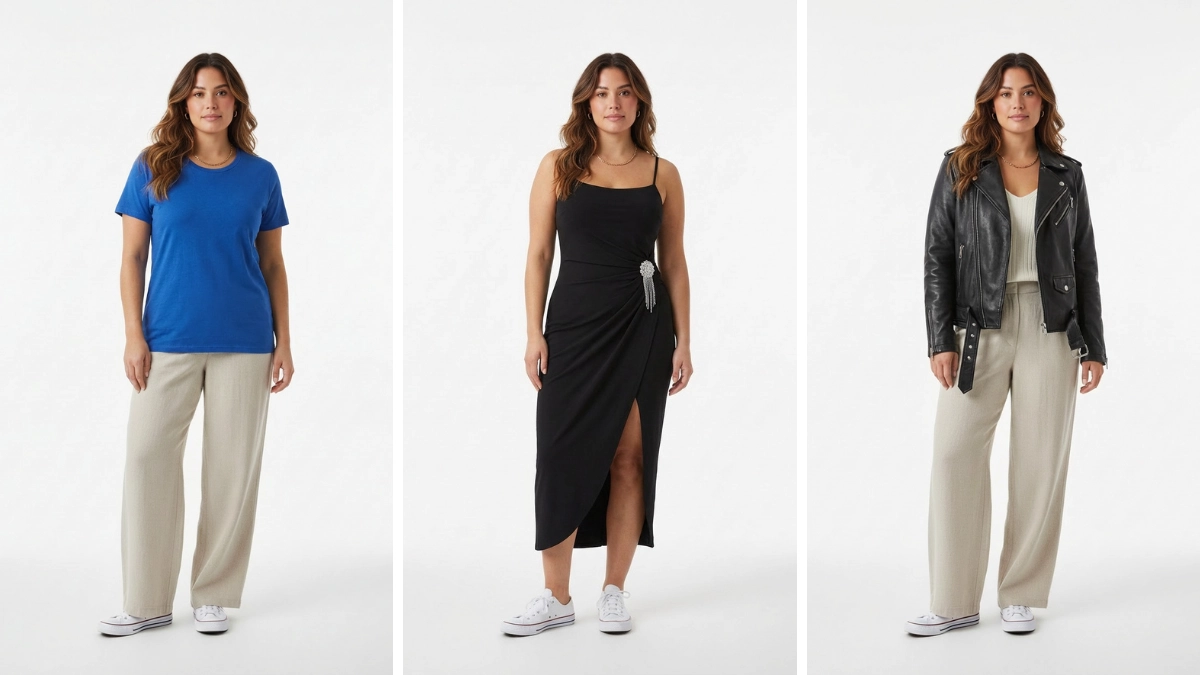
Many brands intentionally reuse the exact same pose across multiple products for consistency, especially on product listing pages. That's a perfectly valid approach, and Try On makes it easy.
Step 3: Introduce Variations with Edit
If you don't want every image to look identical, you can take the Try On result and refine it further.
Using Edit, you can:
- Adjust the pose
- Change the background
- Modify framing or composition
This allows you to keep the model identity and outfit while avoiding images that feel duplicated.
Just go to the Gallery and click the Edit button next to the image you'd like to change.
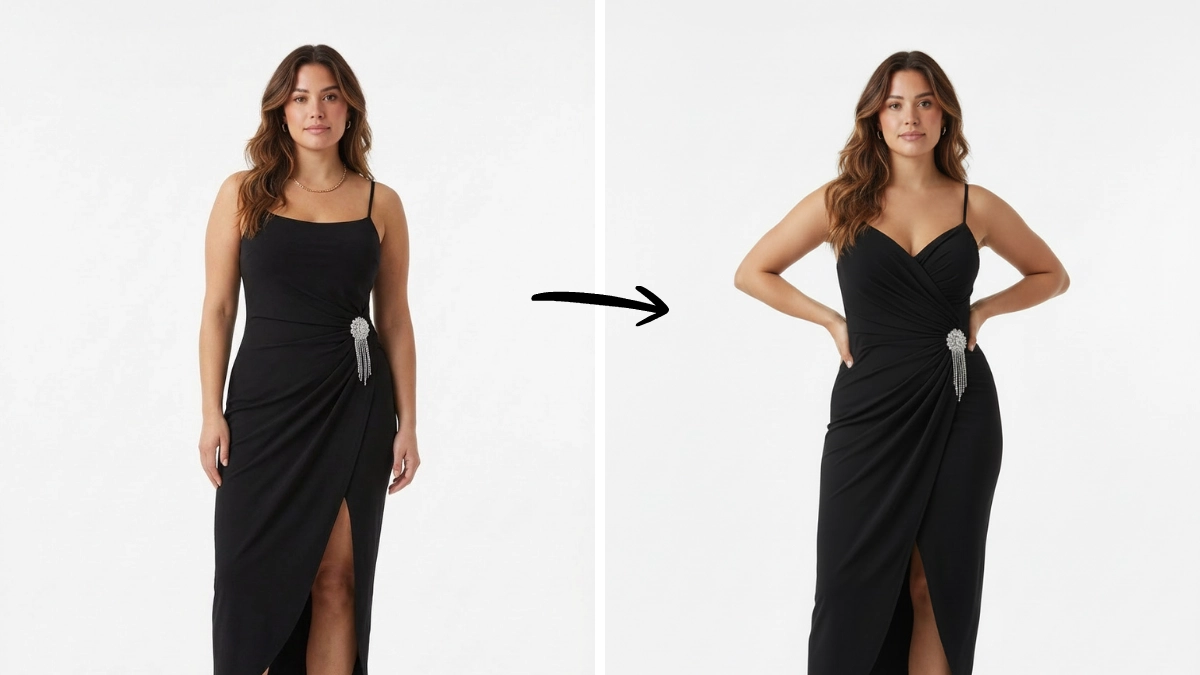
Enter a prompt for what you'd like to change. In the above, we instructed FASHN to place the model's hands on her hips.
Achieving Consistency Using Face Reference
Face Reference is the better option when you want more freedom.
Instead of letting the system invent a new person every time, you provide a face reference that tells it, "This is who the model is."
Step 1: Create a Strong Base Model Image
Everything starts with a base image that clearly represents the model you want to reuse.
This image should:
- Show the face clearly (no heavy shadows or extreme angles)
- Match the aesthetic you plan to use long-term
- Reflect the age range, proportions, and expression you want
- Stick to neutral or lightly expressive faces
If you change the face reference, even slightly, you're effectively introducing a new model. To make use of this feature, go to Create Face under Models. This will allow you to generate a face reference. Or, you can go to Create Model then click Face Reference and upload an image to use.

Step 2: Generate New On-Model Images from Scratch
With your base identity set, you can now generate entirely new images.
This is where the difference from Model Swap becomes obvious. In this situation, you're not editing an existing product photo. Instead, you're creating a new one that still feels like it belongs to the same model.
A few things you'll definitely want to keep consistent here include:
- Face reference image
- General body proportions
- Styling direction (casual, studio, lifestyle, etc.)
But what you can change is pretty impressive:
- Products
- Poses
- Backgrounds
- Camera angles
As long as the identity anchor stays the same, the results remain cohesive and you'll end up with a collection of images that include the same model, wearing different products, across multiple locations and campaigns.
Step 3: Control Variation Without Breaking Identity
Some variation is good. Too much variation causes issues.
Small changes like pose, hand position, or gaze direction help images feel natural. Big changes like drastically different lighting styles or extreme camera angles can push the model outside its established identity.
A good rule of thumb to follow is to vary one or two elements at a time and keep the core attributes steady. If an image starts drifting, regenerate using the same references rather than trying to "fix" it later on.
Step 4: Build a Reusable Model Library
Once you have a consistent model dialed in, don't treat it as a one-off.
Save and reuse the base model image, the face reference, and any prompt structures that work. Over time, this becomes a small internal library of models you can reliably use across product launches, campaigns, and seasonal shoots. This is where your AI workflows really start to compound in value.

Combining Both Approaches
Many teams end up using both workflows together.
A common pattern looks like this:
- Create a base model using Create Model
- Generate a small set of clean variations using Edit or Face Reference
- Treat those images as templates
- Use Try On to swap clothes on the model across multiple products
This approach is especially useful for brands that want consistent poses across a catalog, with the flexibility to expand later.
Consistent Models Bring Innovation to Your Campaigns
Creating consistent models for new on-model product images used to require full photoshoots, rigid planning, and a lot of manual coordination. With the right use of references, it's now possible to generate entirely new visuals that still feel cohesive and intentional.
Anchor identity clearly, reuse references thoughtfully, and prioritize consistency, all within FASHN AI.
Once you do that, scaling on-model imagery becomes the best way to breathe life into your campaigns.
Get started with FASHN AI and scale your on-model imagery without sacrificing consistency.