FASHN vs Gemini (Nano Banana)
Gemini puts Google's image models in a chat, and you write the prompts. FASHN is built only for fashion: it understands a simple request, keeps your product and your model the same, and makes every image a listing needs. Here's how they compare.
Last updated: · 8 min read
Which one is right for you
 FASHNAI
Best for product photos you'll publish, from simple requests, with tools built only for fashion.
- Understands simple fashion requests
- The same model across your catalog
- Packshots, try-on, 4K, and video
Best for one-off images and quick edits, if you're happy to write detailed prompts yourself.
- Strong single images from a prompt
- Research, writing, and images in one app
- A free plan, and AI Plus at $4.99
Feature by feature
| Feature | FASHNAI | Gemini |
|---|---|---|
| Fashion workflow | ||
| Knows garment types and listing needs | Yes | You describe them |
| Saved models for your catalog | Yes. Face reference, every plan | Only your own face, as an avatar |
| Ready-made model library | Yes | No |
| Packshot, model swap, and try-on tools | Yes | By prompt |
| Swimwear, lingerie, and kidswear | Yes | Restricted, and often blocked |
| Images and video | ||
| On-model photos from flat lays and mannequins | Yes | Yes. By prompt |
| 4K images | Yes. Every plan | In the app, 1K free and 2K paid |
| Virtual try-on | Yes. In the app, and on your store | Yes. For shoppers on Google |
| AI video | Yes. 5 or 10 seconds, every plan | Yes. 10 seconds, paid plans |
| Image limits | Monthly credits, plus daily bonus credits | Not published, refresh every 5 hours |
| Beyond fashion | ||
| Research, writing, and Google apps | No | Yes |
| Posters and graphics with text | No | Yes |
| Any kind of product | Fashion and accessories | Yes |
| Plans and data | ||
| Starting price | $19 a month | Free, or $4.99 a month for more |
| API | Yes. Fashion endpoints, from $0.075 | Yes. General image API |
| Trains AI on your uploads | No | Yes on personal accounts, unless you turn it off |
| Who owns the images | You do | You do |
Gemini and FASHN can both put your clothes on a model, edit a photo from a prompt, show clothes on a photo of a person, and turn an image into a short video. FASHN adds tools built only for fashion: it understands simple requests like "put this dress on my model," keeps the same model across your catalog with a face reference, and makes packshots, 4K images, and try-on for your own store. Gemini adds everything else Google's assistant does, from research to writing in Gmail and Docs, with a free plan.
A strong model, or a fashion workflow
Google's image models are some of the best available. People praise them for realistic photos and for edits that change only what you ask for. In the Gemini app, they sit in a chat: free accounts get Nano Banana 2, and paid Google AI plans get Nano Banana 2.1, Google's newest, with an option to redo an image with Nano Banana Pro.
So the question isn't which tool can make a good picture. It's who does the work around it. In Gemini, you're the workflow: you describe the product, attach the right references, ask for the right size, check the result, and try again. In FASHN, the workflow is built in, and it's built for fashion.
Here's how each one works, in each company's own video:
What you do, and what FASHN does
Here's what a product photo takes in each, step by step:
| Step | In Gemini | In FASHN |
|---|---|---|
| Describe the product | You write the garment type, its details, and what must not change | Attach the photo and say what you want in a few words |
| Keep your model | Attach their photo in each chat. The saved avatar works only for your face | Save any face once as a face reference |
| Get listing sizes | Ask for the ratio in your prompt. App downloads are 1K free and 2K paid | 4:5, 3:4, 2:3, and more, at up to 4K on every plan |
| Make the rest of the listing | Prompt each shot | Packshot, Model Swap, Try-On, and video tools |
| Fix a result | Prompt again, or redo it with Nano Banana Pro on a paid plan | Ask the Agent in the same conversation, or use Edit |
People who make clothing photos in Gemini say getting the garment right takes practice, and that some prompts need several tries before patterns and colors come out right. In FASHN, a short message is enough, because the workflow already knows what a product photo needs.
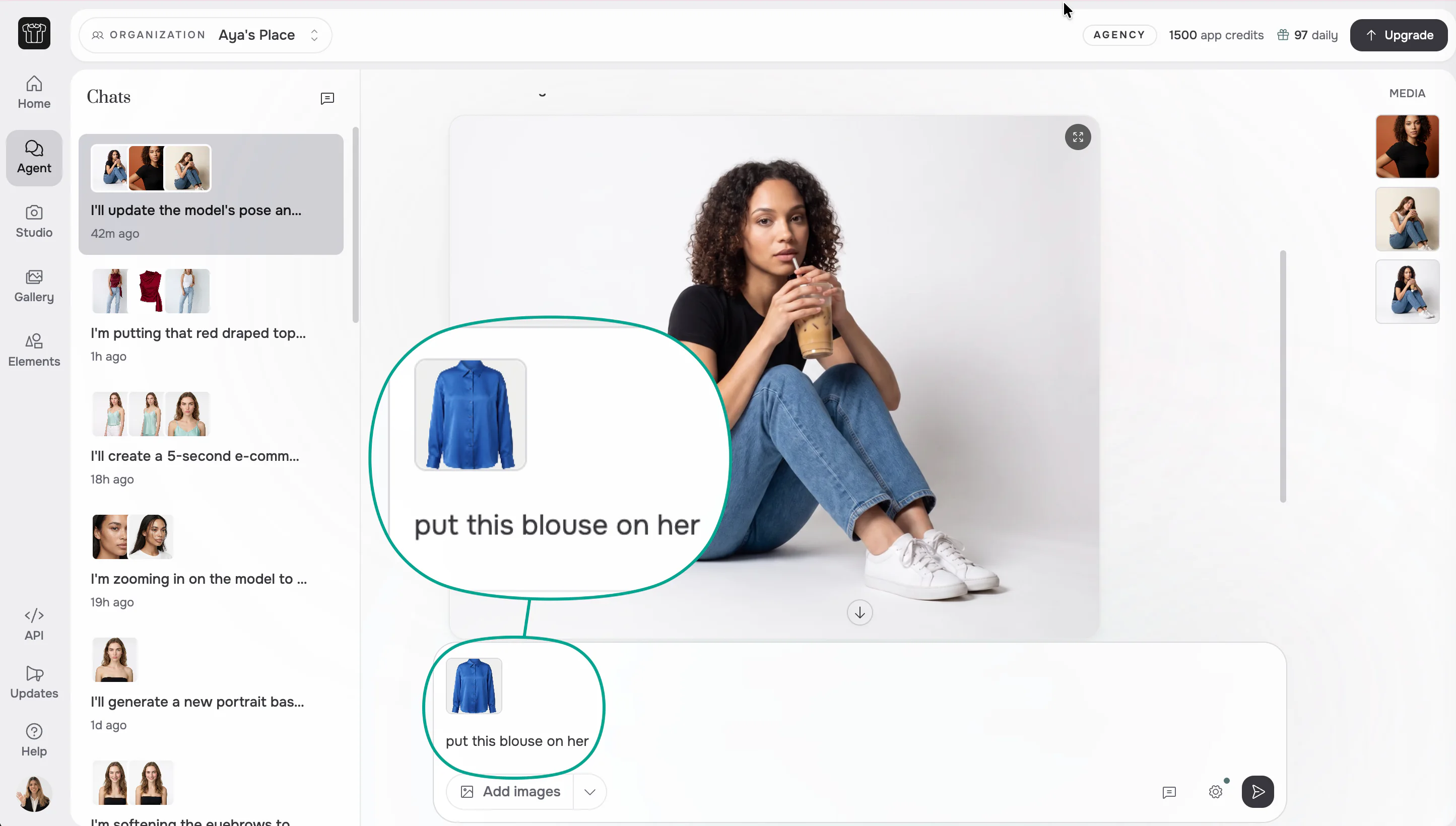
Best in this category: FASHN. A short, simple request is enough, because FASHN already knows fashion.
Keeping the garment as it is
On a single image, Gemini is good at keeping a garment as it is, and some testers found it reproduced a shirt's print exactly on the first try. The problems users report are in the details: logos and small labels that change, artifacts along dark hems, and colors that shift. Google's own model card for Nano Banana 2.1 notes that small text is often blurry at 1K.
FASHN is built for fashion, so it already knows what matters in a product photo: the type of garment, how it was photographed, and the details that must stay the same. Your original photos stay attached as inputs for every new image. One image can take up to six inputs, like the products in a look, your model, and a pose or background.
Best in this category: FASHN for catalogs. On one image, the two are close. Across a catalog, FASHN keeps every product true without you rewriting the rules each time.
Swimwear, lingerie, and kidswear
Google's rules for Gemini don't allow showing a real person in underwear or lingerie, and Google's shopping try-on doesn't support lingerie or swimwear. Developers using Google's image models also report ordinary swimwear, lingerie, sleepwear, and kids' try-ons being blocked as unsafe.
FASHN supports swimwear, lingerie, and kidswear product photos for brands, on models and as packshots. Like any AI tool, it still filters explicit content.

Best in this category: FASHN. Swimwear, lingerie, and kidswear brands can make the photos they need.
The same model in every photo
Gemini doesn't save models for your brand. Its avatar feature lets you reuse your own face, if you're 18 or over and outside the EEA, Switzerland, and the UK, but not a model's. To keep a model consistent, you attach their photo, or the last image you approved, in each chat, and Google's model card notes that character consistency between the input images and the result is not always perfect.
In FASHN, you create a model, pick one from the Elements library, or start from a photo of someone who has agreed to it, then save their face as a face reference. Every product is shown on the same person, on every plan, with no training step.
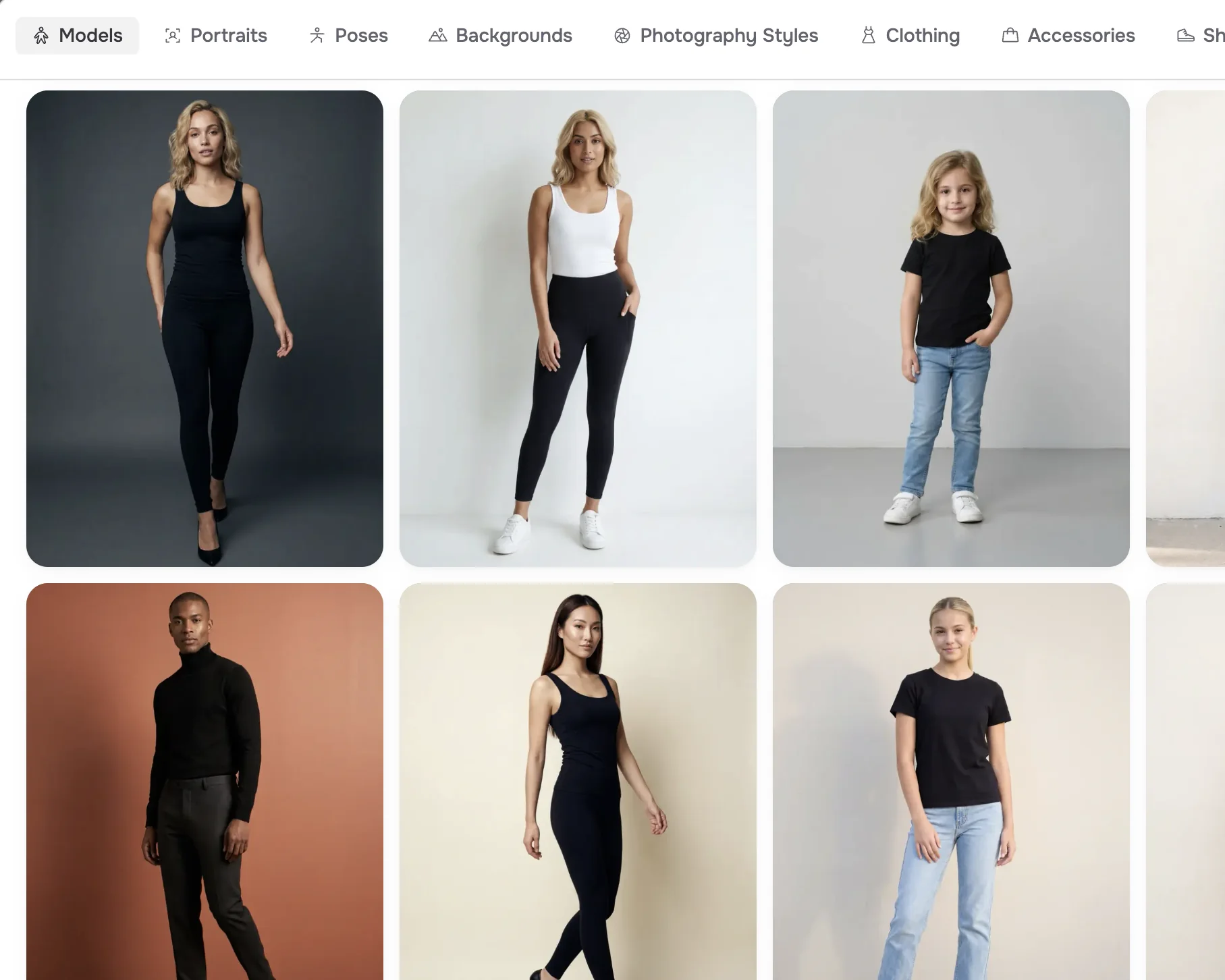
Best in this category: FASHN. One face reference keeps the same model across your whole catalog.
Try-on
Google's try-on is for shoppers. On Google Shopping, people upload a photo of themselves and see clothes from Google's results on it. It works with tops, bottoms, and dresses in 18 countries, not with lingerie, swimwear, or accessories, and it runs on Google, not on your site.
FASHN's Try-On is for brands. In the app, it dresses a real person in your product while keeping their pose and background. Through the API, you can add try-on to your own store, including shoes, bags, and jewelry, so shoppers see your products on themselves without leaving your site.

Best in this category: FASHN for brands. Google's try-on helps people shop on Google. FASHN puts try-on in your own photos and on your own store.
Video
Both make video. On paid Google AI plans, Gemini Omni makes 10-second clips with sound from your images, and you can edit them by prompt. Free accounts can't make videos in the app, and editing an uploaded video isn't available in the EEA, Switzerland, the UK, or some US states.
FASHN turns any image into a 5 or 10-second clip, with or without sound, on every plan including Basic, and through the API. You can describe the motion, set the final frame with an end image, or let the Agent plan it. More on Short Videos.
Best in this category: FASHN for product video. It's on every plan and in the API. Gemini Omni is strong for creative clips with sound.
Speed, size, and limits
Google says Gemini makes images in seconds. In the app, you can attach up to 10 files to a prompt, and downloads are 1K on the free plan and 2K on paid plans. 4K is available only through Google's developer tools. Limits aren't published as image counts: they're based on computing power, refresh every 5 hours until you reach a weekly limit, and you can buy more.
In FASHN, most images are ready in about 10 seconds, and the highest quality settings take up to about a minute. Every plan exports at up to 4K, and you can reframe any image to 1:1, 4:5, or 9:16. Each plan has a set number of monthly credits, and Pro and Agency add bonus credits every day.
Google's image models also change often, with five Nano Banana releases since August 2025. FASHN's workflows are built to take in better image models as they arrive, so you keep the same tools and the same inputs.
Best in this category: FASHN. 4K on every plan, with limits you know in advance.
Pricing
Gemini has a free plan, and Google's paid plans include more storage and Gemini across Google's apps.
| FASHN | Gemini | |
|---|---|---|
| Free | 10 free credits to try it | A free plan with Nano Banana 2 |
| Paid plans | Basic $19, Pro $49, and Agency $99 a month | AI Plus $4.99, AI Pro $19.99, and AI Ultra from $99.99 a month |
| Images | 200 to 1,500 credits a month, plus daily bonus credits on Pro and Agency | Limits not published |
| 4K | Every plan | Not in the app |
| Video | Every plan | Paid plans |
For developers, Google's image API is priced per image by model and size, and at 1K it costs less per image than FASHN. FASHN API credits cost $0.075, with endpoints built for fashion. See our pricing page for full details.
Best in this category: Gemini to start, FASHN for production. Gemini costs less if you already use it for everything else. FASHN's price buys the fashion workflow, 4K, and video on every plan.
Privacy and ownership
With both, you own what you create. Google says it won't claim ownership of your content, and notes that it may generate the same or similar content for others. On personal Google accounts, Keep Activity is on by default for adults: your chats and uploads can be used to train Google's models and reviewed by people, and reviewed chats are kept for up to three years. You can turn it off. Workspace accounts and the paid API aren't used for training.
Every Gemini image carries Google's invisible SynthID watermark and Content Credentials, and in most countries you can turn off the visible watermark in settings.
FASHN doesn't train on your uploads or results, in the app or the API.
Best in this category: FASHN. Your uploads stay out of AI training on every plan, without changing a setting.
Where FASHN is the better choice
If the images are going on a product page, these are the reasons to pick FASHN.
- Built only for fashion. It understands simple requests, so a short message is enough.
- The same model every time. A face reference keeps one person across your catalog, on every plan.
- Swimwear, lingerie, and kidswear. Photos for categories that Gemini often blocks.
- 4K on every plan. Gemini's app downloads stop at 2K.
- Every image a listing needs. Packshots, model swap, video, and try-on for your own store.
- Privacy by default. No training on your uploads, without changing a setting.
Where Gemini is the better choice
Gemini does far more than images, and for some work that matters more than anything above.
- One assistant across Google. Research, writing in Gmail and Docs, and images in one place.
- One-off creative images. Quick edits, moodboards, and campaign ideas.
- Graphics with text. Posters, social posts, and infographics.
- Any kind of product. Not just clothing and accessories.
- Free or low-cost to start. A free plan, and AI Plus at $4.99 a month.
Using Gemini and FASHN together
You don't have to pick one. Use Gemini for research, ideas, moodboards, and product descriptions. Then make the product photos and videos you'll publish in FASHN, where the garment and the model stay the same from one image to the next.
New accounts get 10 free credits, so you can run a few of your products through the Agent and compare the results with Gemini before you pay. If you've been reusing a model you made in Gemini, you can add that image as a face reference in FASHN.
Common questions
Still have questions? Visit our Help Center

Ready to take control of your
fashion content?
Join thousands of brands and creators using FASHN AI to create premium product imagery in seconds.

