
Type @ in the Agent's message box to reference any image already in your conversation. A picker opens with the images from the current chat, grouped into your inputs (uploads, Gallery picks, and Elements) and previous generations.
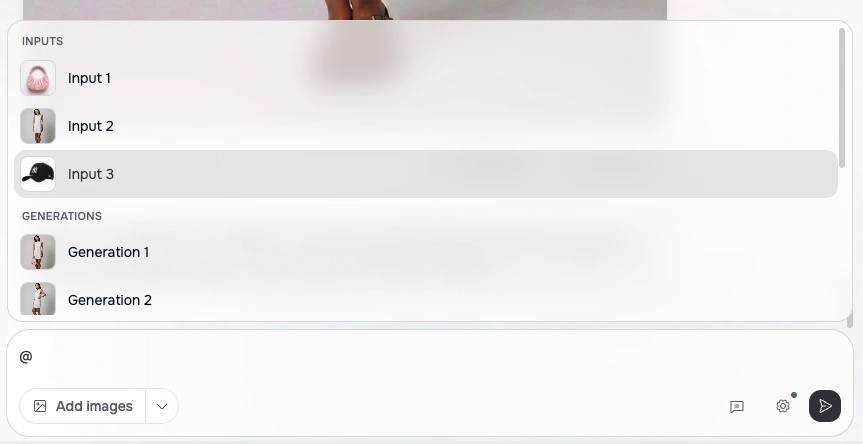
Selected references appear as thumbnail chips in your prompt, such as @input1 or @generation2, so an instruction like "put the jacket from @input2 on @generation1" stays short and unambiguous.

There's no need to re-upload or describe an image the Agent has already seen, which makes multi-step edits across a long conversation much easier.